
We're incredibly proud to launch a simple, accessible, thoughtful (we hope) 1:1 meetings feature. This is perhaps one of our most requested features since we launched Highbar, so it's satisfying to get it out into the world. For everyone who contributed with feedback and insights, thank you.
It's almost trite to say this, but events exist to foster connection, and event technology is merely an extension of that mission. Bringing people together 1:1 is particularly important, and I don't just say that because I'm an introvert, but because that's how you build deeper connections and relationships.
Being able to drive those incremental meetings and opportunities can be the difference between a successful event and one that's struggling.
Why 1:1 meetings matter
People come back for people. In Freeman's 2025 research, 51% of attendees said they would return to an event if they connected with just one other person in a meaningful way.
The usual formats make that harder than it should be. Receptions and open floors reward people who are comfortable working a room. Freeman's Unpacking XLNC report found 31% of attendees find networking awkward and 34% find it too salesy. Among attendees aged 20 to 44, both numbers climb to 40%.
Most organizers see their job as making room for networking: time on the agenda (58%), activities where people are likely to meet (56%), evening parties (52%). Only about one in ten see setting networking topics as part of the role.
A scheduled 1:1 removes the hard part. You know who you're meeting, why, when and where. Nobody has to walk up to a stranger at the bar and hope it goes well.
How it works for attendees
Meetings start where networking already happens in Highbar: AI matches and attendee profiles.
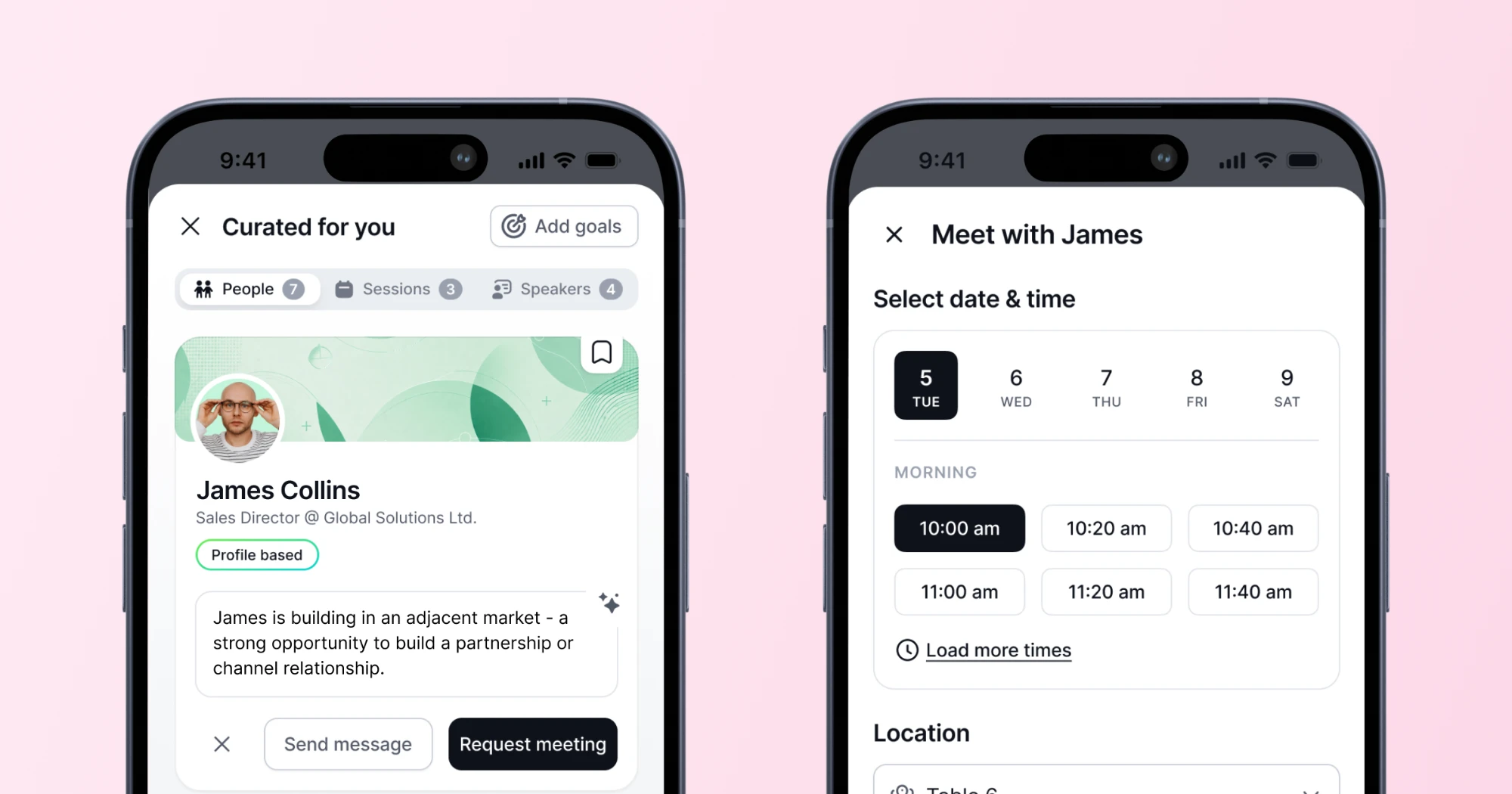
Matches that go somewhere. Each attendee gets a short list of people to meet, based on their profile and goals. Every match explains itself, for example: "As a founder, you could compare notes on leading a company and growing a business." Each match has three buttons: Skip, Send message and Request meeting.
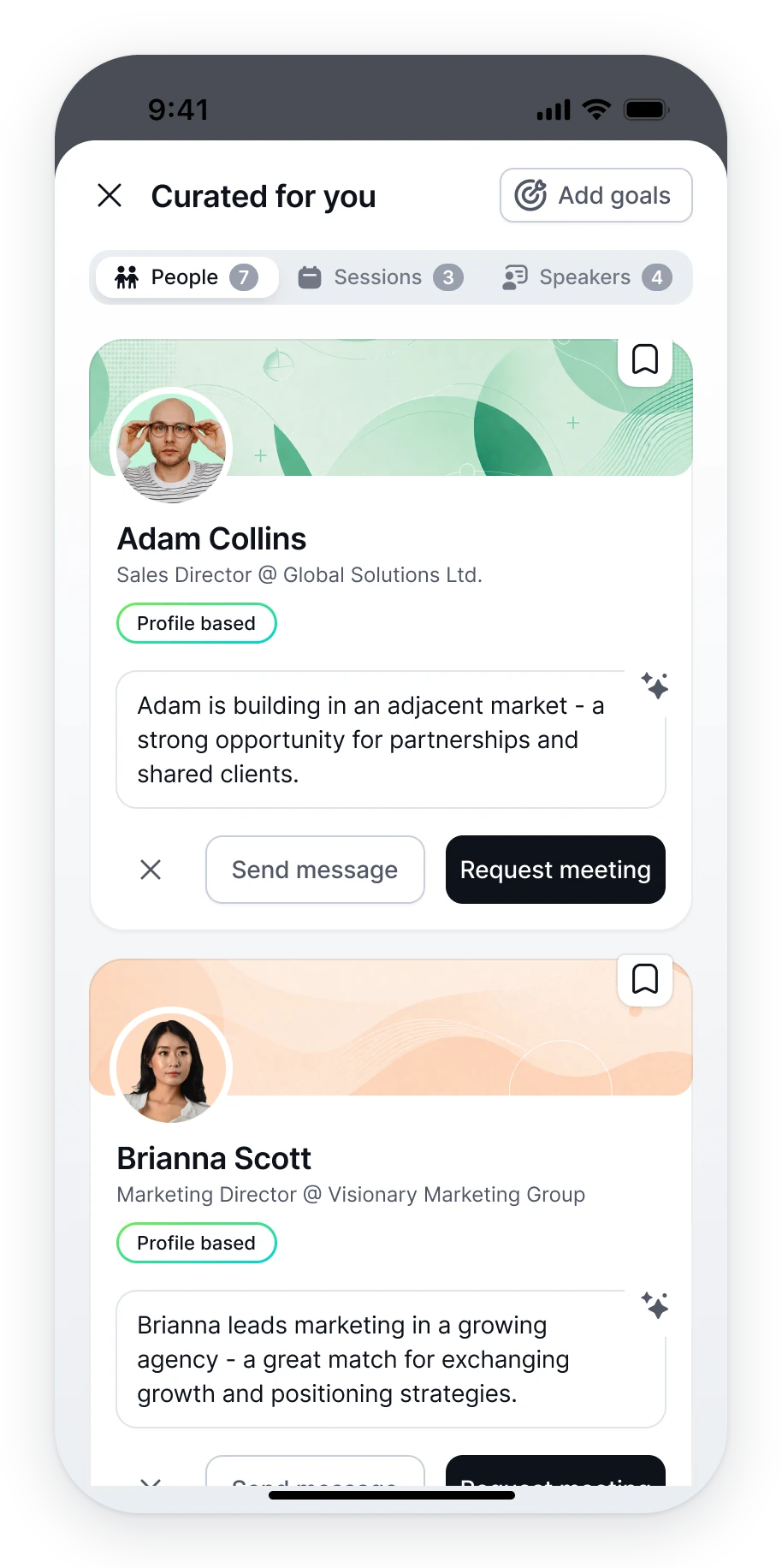
Request from any profile. Profiles carry the same Request meeting button next to Send message. When the person is one of your matches, a "Why we matched you" box explains the connection.
Pick a time and a table. A request takes four steps:
- Choose the day.
- Pick an open slot. Only times inside the organizer's meeting hours appear, shown in the event's local time. Times that conflict with your schedule are highlighted.
- Choose where to meet, like Table 3 in the Meetings Zone.
- Add an optional note and send.
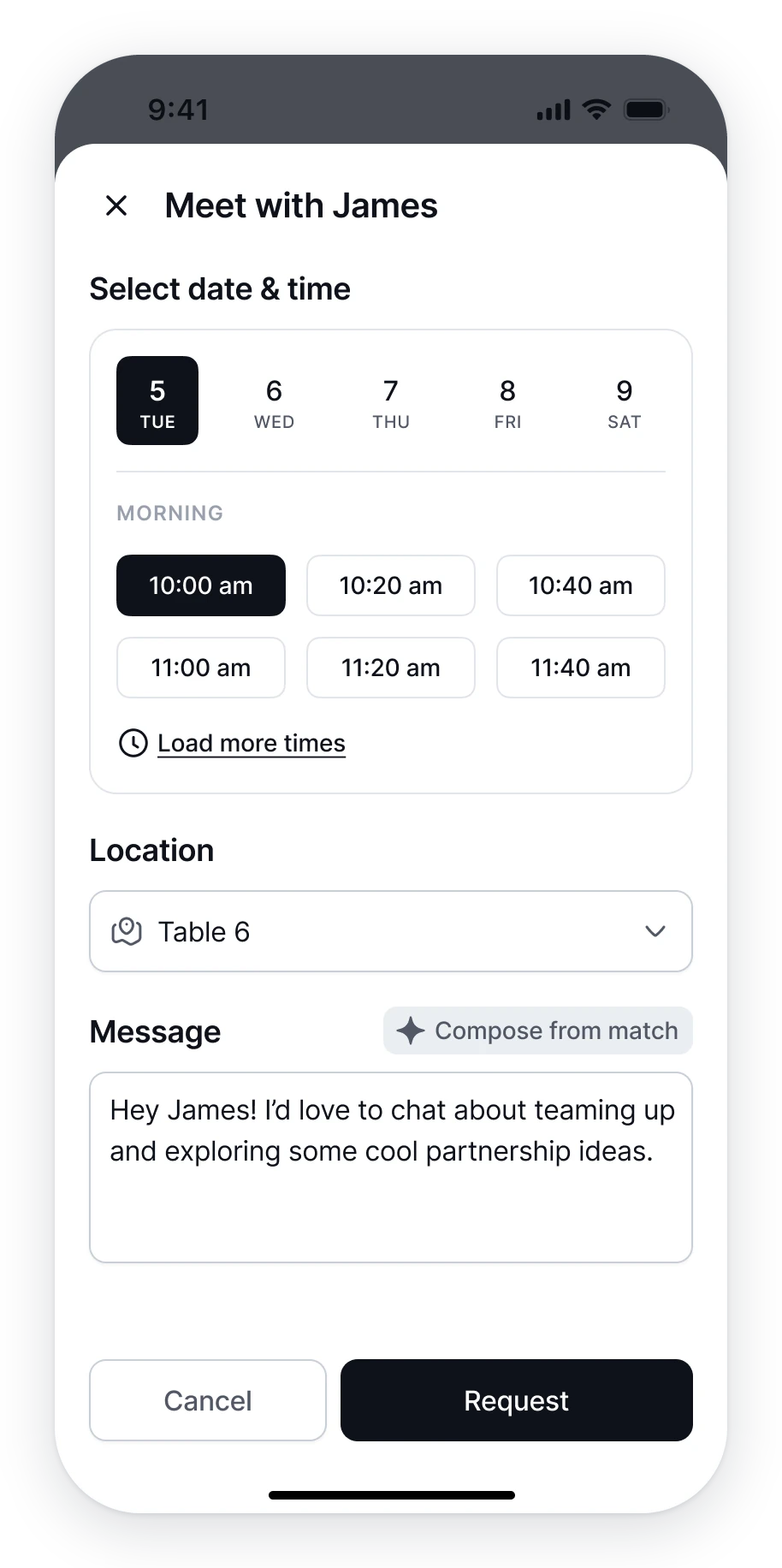
The other person accepts or declines. No email chains. No "does 2:15 work?" No wandering the hall looking for each other.
A head start on the first message. Not ready to ask for a meeting? Attendees can generate a first-message draft from the match context, then make it their own.
How it works for organizers
Turn on 1:1 Meetings under Event App in your Highbar dashboard. Then decide three things: when meetings happen, where they happen and who can book whom.
When. Pick which event days allow meetings and set hours for each one. Tuesday can run 8:00 am to 6:00 pm while Wednesday wraps at 4:30 pm. Choose a slot length and a buffer between meetings. A 20-minute slot with a 5-minute buffer opens a new slot every 25 minutes. To protect your program, block meetings during sessions.
You also choose how strict scheduling is. Let attendees manage their own time, with a warning when a meeting overlaps another meeting or a session. Or block double-booking outright.
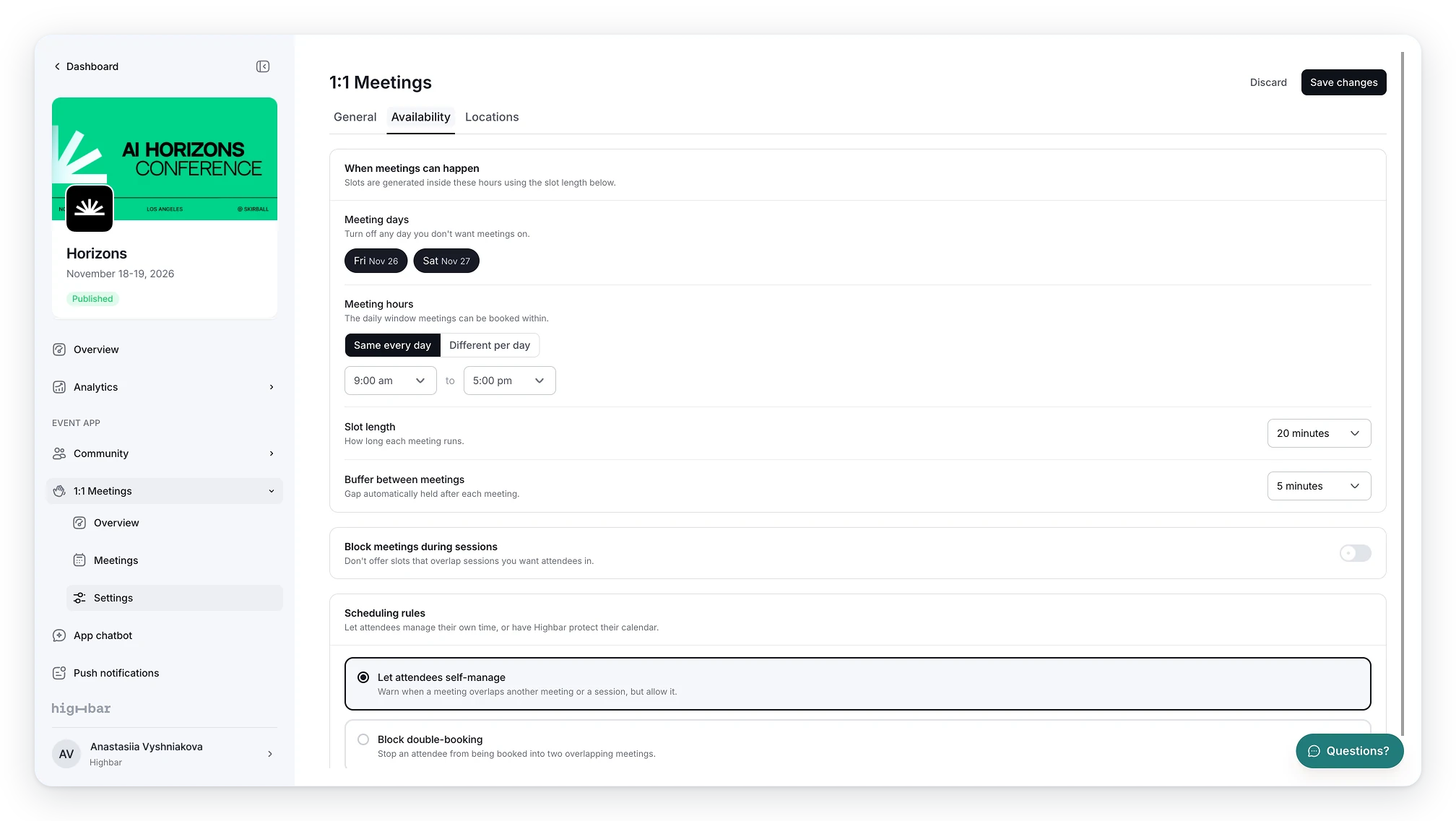
Where. Meeting spots come from your existing event locations, so they're already linked to your map. Each spot gets a capacity, and Highbar won't book a table past it.
Who. Set a default cap on meetings per person. Override it by registration type or attendee tag, and decide who each group can request meetings with. Sponsors are just a registration type, so their tighter rules live in the same table.
Restricted meetings go one step further. Tag a group, say exhibitors, and they can answer meeting requests but can't start them. It's a simple fix for networking that feels too salesy: buyers decide who gets their time.
AI and matching. Two switches tie meetings to Highbar's networking agent. One makes Request meeting the main action on every AI match, instead of Send message. The other lets attendees draft a first message from the match context.
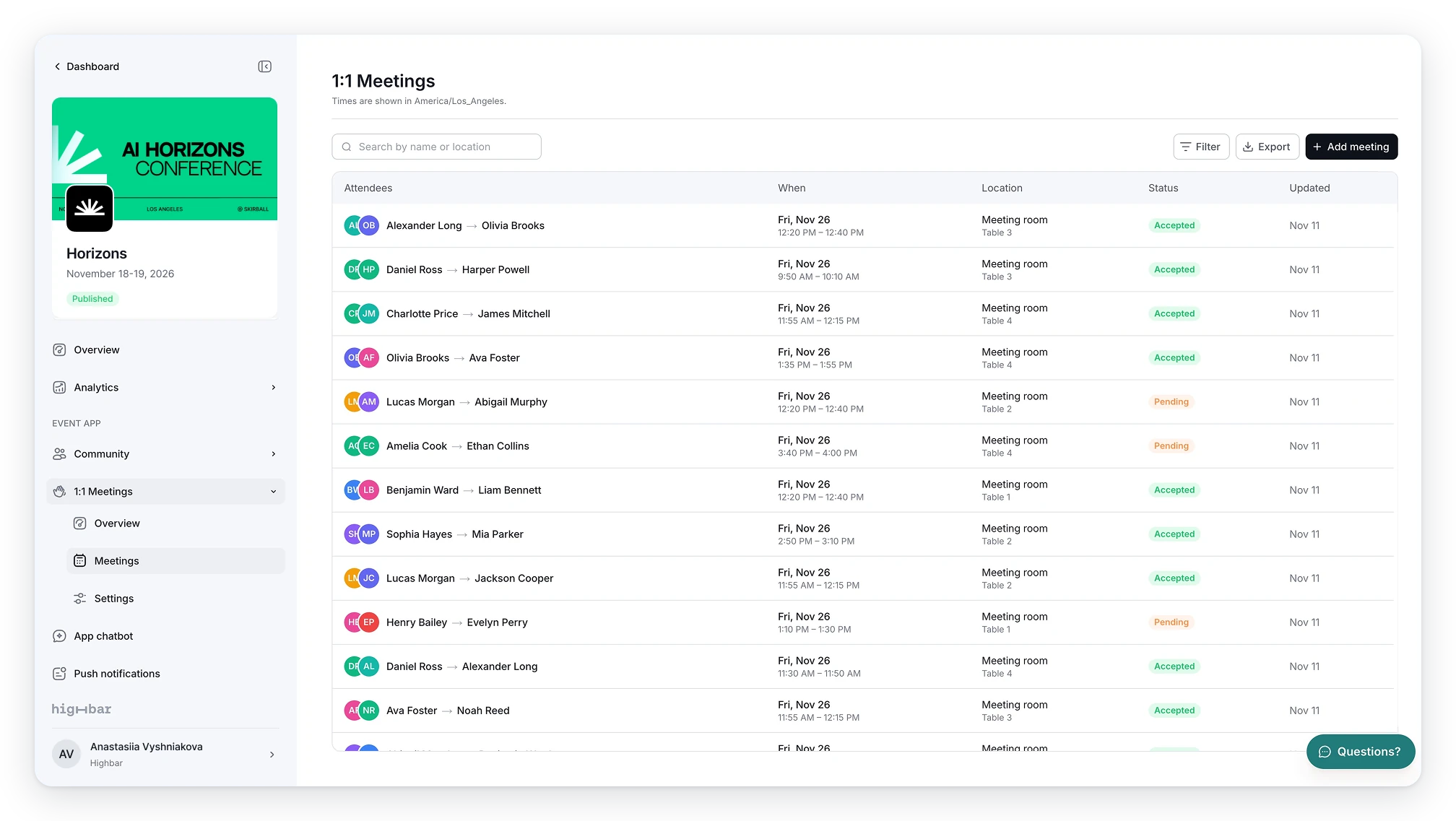
During the event. The Overview shows every request by status: accepted, pending, declined and cancelled. A Needs attention panel flags requests pending for 24 hours or more, so you know when a reminder is due. You can also see who is most requested and how busy each meeting spot is.
The full meeting list is searchable and filterable. Export it, or add meetings by hand for VIPs and last-minute asks.
What's next
Moving forward we'll be adding ways for sponsor profiles and organizations to use this feature for hosted buyer and meeting programs.
In a hosted buyer program, the organizer invites qualified buyers and they commit to a set schedule of meetings with sponsors. For B2B and procurement events, it's one of the clearest ways to show sponsors a return. If you run sponsor meetings or a hosted buyer program today, we'd love to hear how. It will shape what we build next.
1:1 Meetings is live now. Highbar customers can turn it on under Event App > 1:1 Meetings. New to Highbar? Book a demo and we'll show you around.
Share this