5 Guidebook Alternatives for 2026
Looking for a Guidebook alternative? Here's how Highbar and other event app platforms compare on setup, pricing, attendee experience, and design.
Alternative Landscape
Guidebook competes in the event app space alongside several other platforms. Here's a quick look at the alternatives event organizers most often consider:
Whova - Popular with associations and academic conferences. Strong networking features but follows the same traditional app paradigm. Read our full Whova comparison →
EventMobi - Established mid-market full-service vendor. Broad feature set and onboarding support, but dated UX and a multi-week sales-assisted setup. Read our full Eventmobi comparison →
PheedLoop - Canadian competitor with a similar all-in-one approach. Good for hybrid events but complex setup process. Read our full PheedLoop comparison →
Amego - Newer entrant focused on attendee engagement. Worth watching but still building out core features. Read our full Amego comparison →
Highbar - AI-native event app platform. Self-serve setup, flat-rate pricing, and a conversational attendee experience that replaces the traditional menu-and-icon approach. That's us, and we'll go deeper below.
Snapshot
Guidebook has been one of the most recognizable names in event apps since 2011. Founded in San Francisco by three SaaS veterans, it has grown into a platform used by over 100 million people and trusted by the majority of top U.S. universities. Its strongest verticals are higher education, associations, and enterprise teams running multiple events per year. The brand promise is simple: easy to build, fair to price, no technical skills required.
That promise is largely kept. Guidebook is genuinely easy to set up, most customers build without any help. Their pricing avoids the per-attendee fees that frustrate organizers on other platforms. And their support gets consistently strong reviews. These are real advantages.
The tension is that Guidebook was built to be a better printed program. It does that well. But the model is the same one it has always been: attendees open an app, find their section, and get their information. It works. It just has a ceiling.
If you want an experience where the information finds the attendee, that is where Highbar comes in.
App Creation
Guidebook is one of the more self-serve-friendly platforms in the category.
Highbar goes further: no demo, no sales call, and a step-by-step wizard that gets you to a published app in about 45 minutes.
Sign up and build yourself, demo optional
Self-guided, step-by-step setup
Bulk upload via templates, drag-and-drop builder, manual section configuration
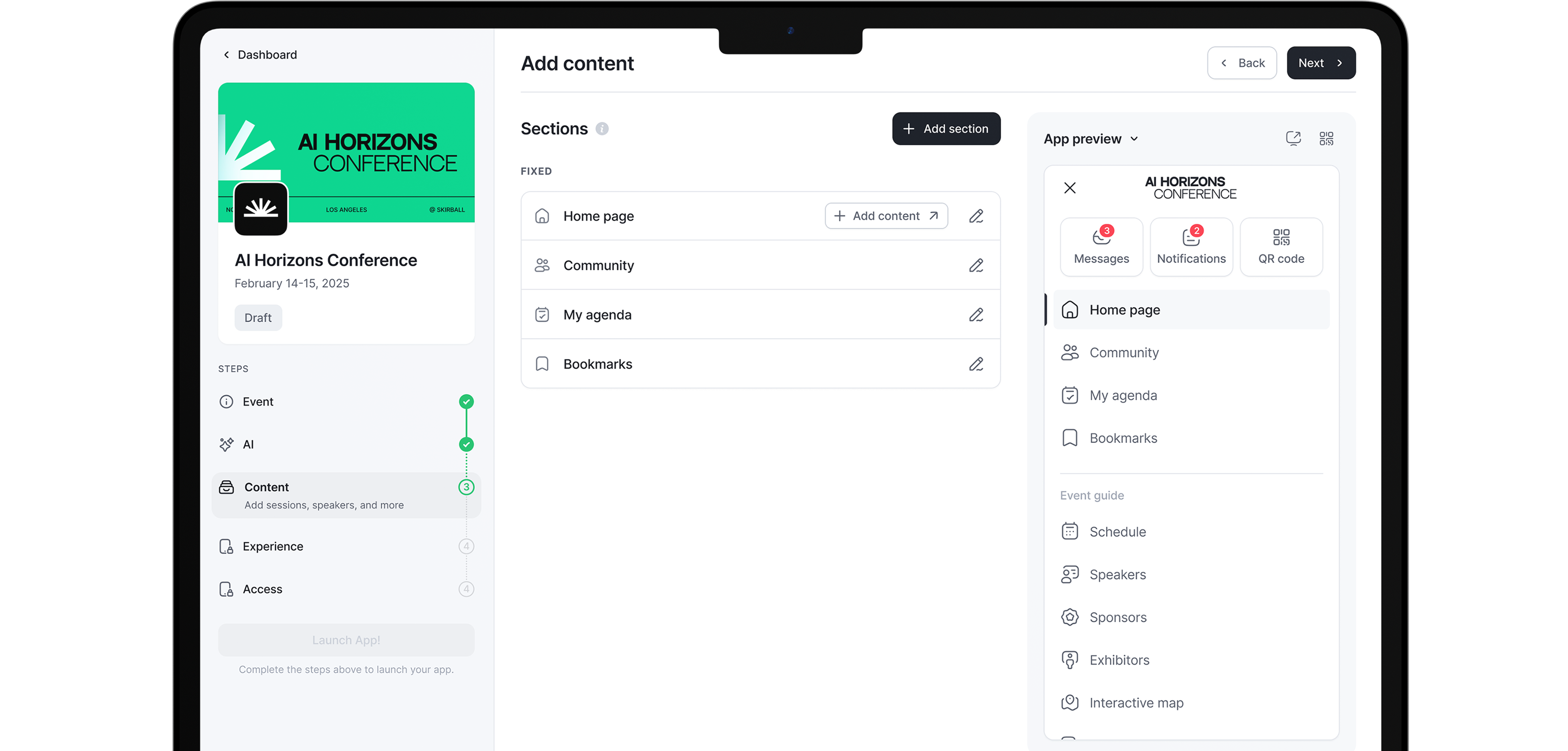
Upload or connect your content with an instant live preview of your app.
Drag-and-drop admin with 100+ design controls
Streamlined app management, every function is no more than 3 clicks away.
Publish through Google Play and the App Store. A branded app under your own name requires the Branded plan or above
Publish your app in under 1 hour
Gated. No per-attendee fees for the app. Specific plan figures require a quote
Free to build and launch. Pay $5 per engaged attendee, capped at $9,500
Guidebook's self-serve model is a genuine strength. The drag-and-drop builder is well-regarded, bulk content upload via templates saves time, and a sandbox environment lets organizers preview before publishing. For associations and universities running the same event format year after year, the ability to clone a previous guide and update it is particularly useful.
The friction shows at larger events. Reviewers note that initial setup for complex multi-day programs takes meaningful time. Some reviewers note that schedule changes can take time to propagate through the app, which creates friction when programs change on the day. And attendees download the app through the App Store or Google Play before they can access anything at the event.
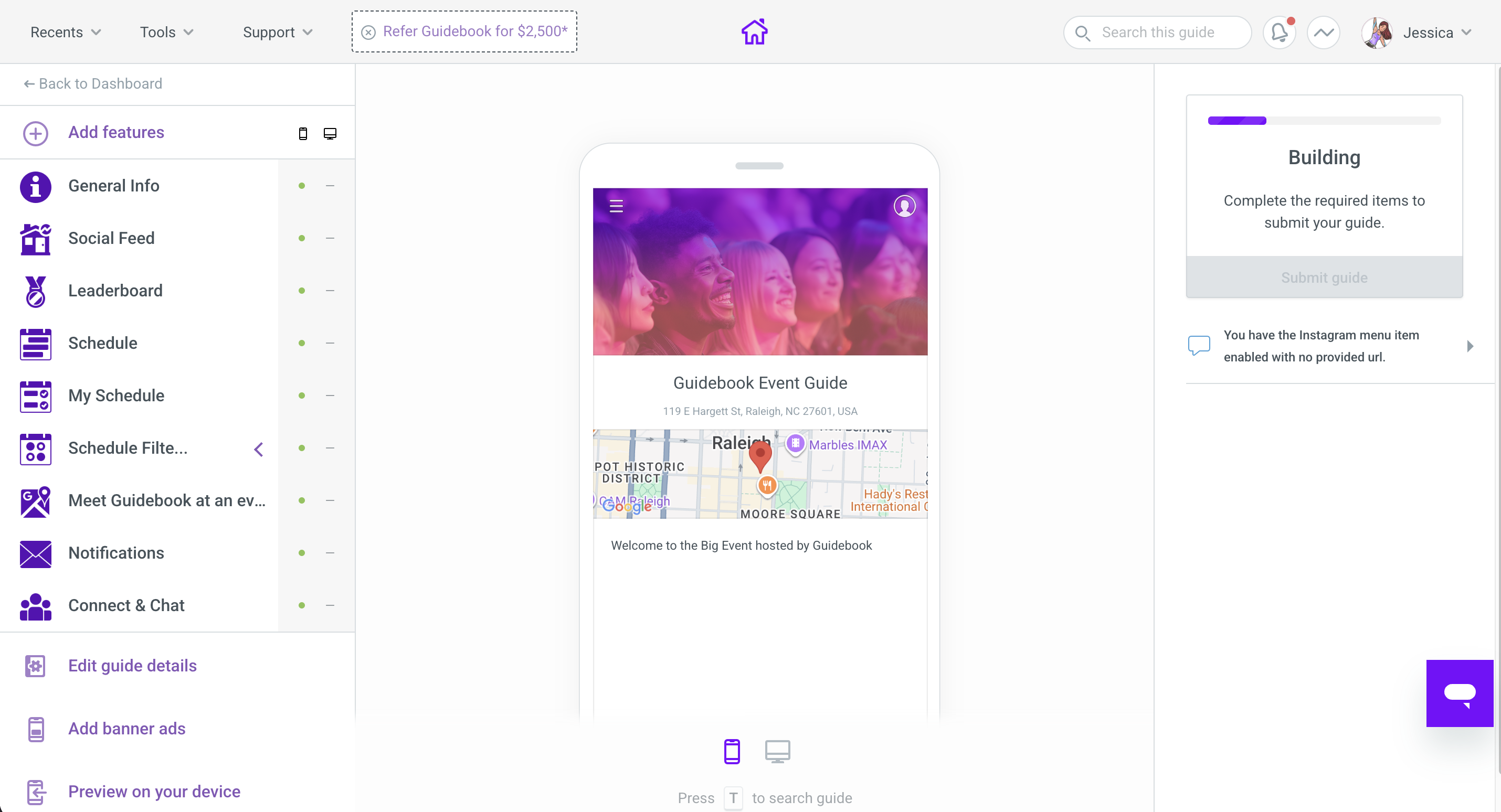
With Highbar, you sign up, follow a step-by-step wizard, and publish in about 45 minutes. Your app is a PWA, so attendees tap a link and they are in. No app store. No download. No branding you cannot control.
Event App Experience
Guidebook: Section-Based Navigation
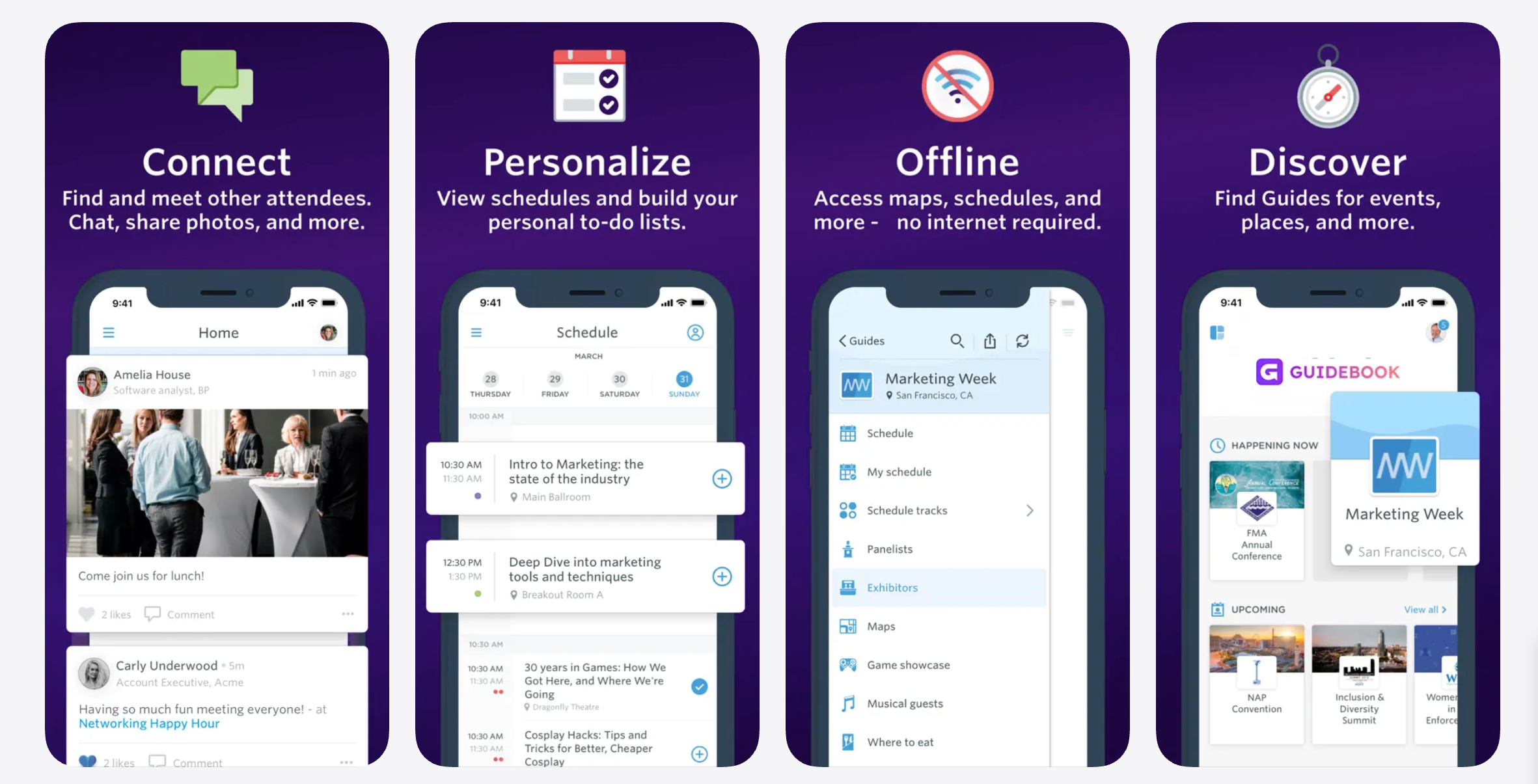
Guidebook delivers a clean, well-organized event app built around a familiar section structure:
- A home screen linking to sections: Schedule, Speakers, Sponsors, Maps, Social Feed, and more
- Attendees tap into sections to find information, filter sessions, and build personal schedules
- Networking via interest-based matching, private chat, and 1:1 meeting scheduling
While functional and easy to navigate for most attendees, this experience still asks them to know where to look. They open the app, find the right section, search or scroll, and get their answer. The information does not come to them.
Highbar: AI-Native, Conversational Experience
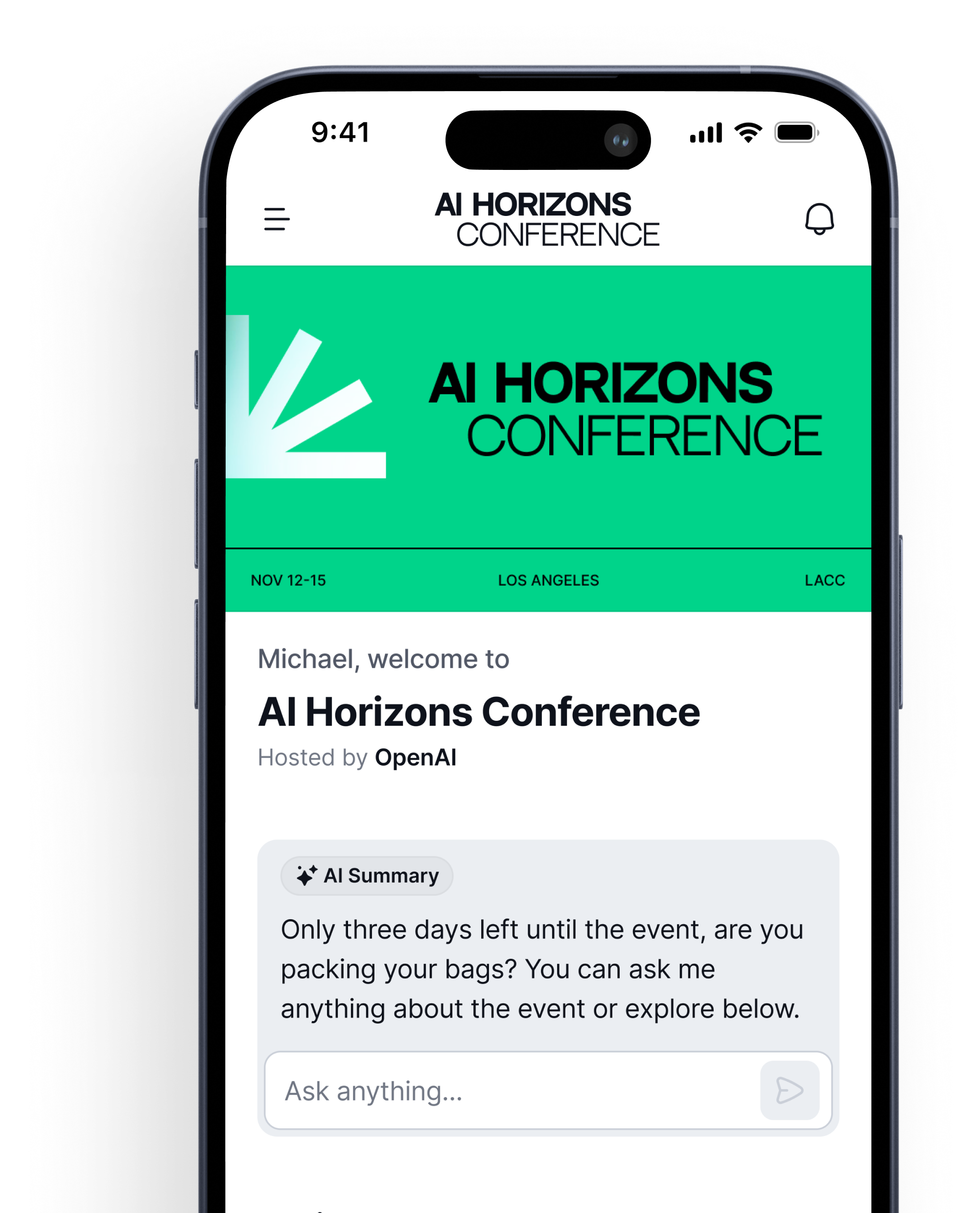
Highbar replaces menus and sections with a chatbot-style interface powered by AI.
Attendees can:
- Ask natural language questions and get instant, personalized answers
- Discover sessions, speakers, and logistics without navigating through sections
- Get matched to specific people by the Networking Agent, with a reason for each match and an automatic icebreaker
Instead of learning how to use an app, attendees simply interact with it, making the experience more intuitive, more engaging, and far more modern.
.avif)
Design
Guidebook: Native App, Configurable Branding
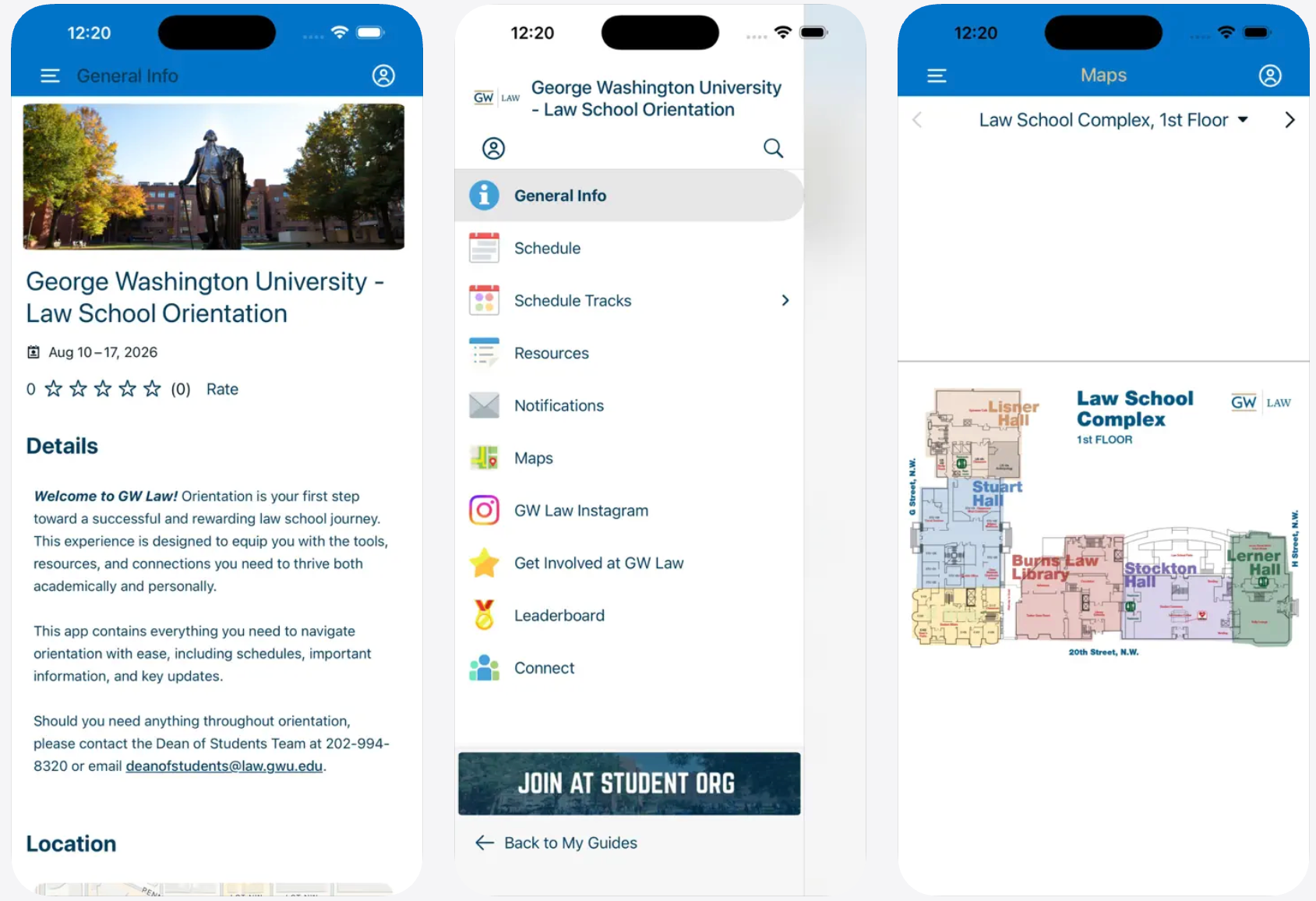
Guidebook gives organizers meaningful design control:
- Custom colors, logos, fonts, and icons throughout the app
- Drag-and-drop layout with 100+ configurable design elements
- Branded app icon and name in the App Store under the organizer’s name, on the Branded plan and above
Inside the app the branding is genuinely yours: your colors, your logo, your navigation labels. The App Store listing carries your icon and event name on higher plans. On the entry-level Single Event plan, the branded app under your own name is not included. Reviewers consistently note that design flexibility has a ceiling. Multiple recent G2 reviews flag specific constraints: inability to remove gradients over headers, limited homepage layout options, and a template structure that requires workarounds to match an organization’s own design language.
Highbar: Your Brand, Built In
Highbar is fully white-labeled and requires no download:
- Your fonts, colors, and logo throughout, with no Highbar branding visible to attendees
- Launches instantly from a QR code or link, no app store required
- Always up to date with your latest content, no version conflicts
Attendees tap a link and they are in. No app store. No download.
Pricing
Guidebook Pricing
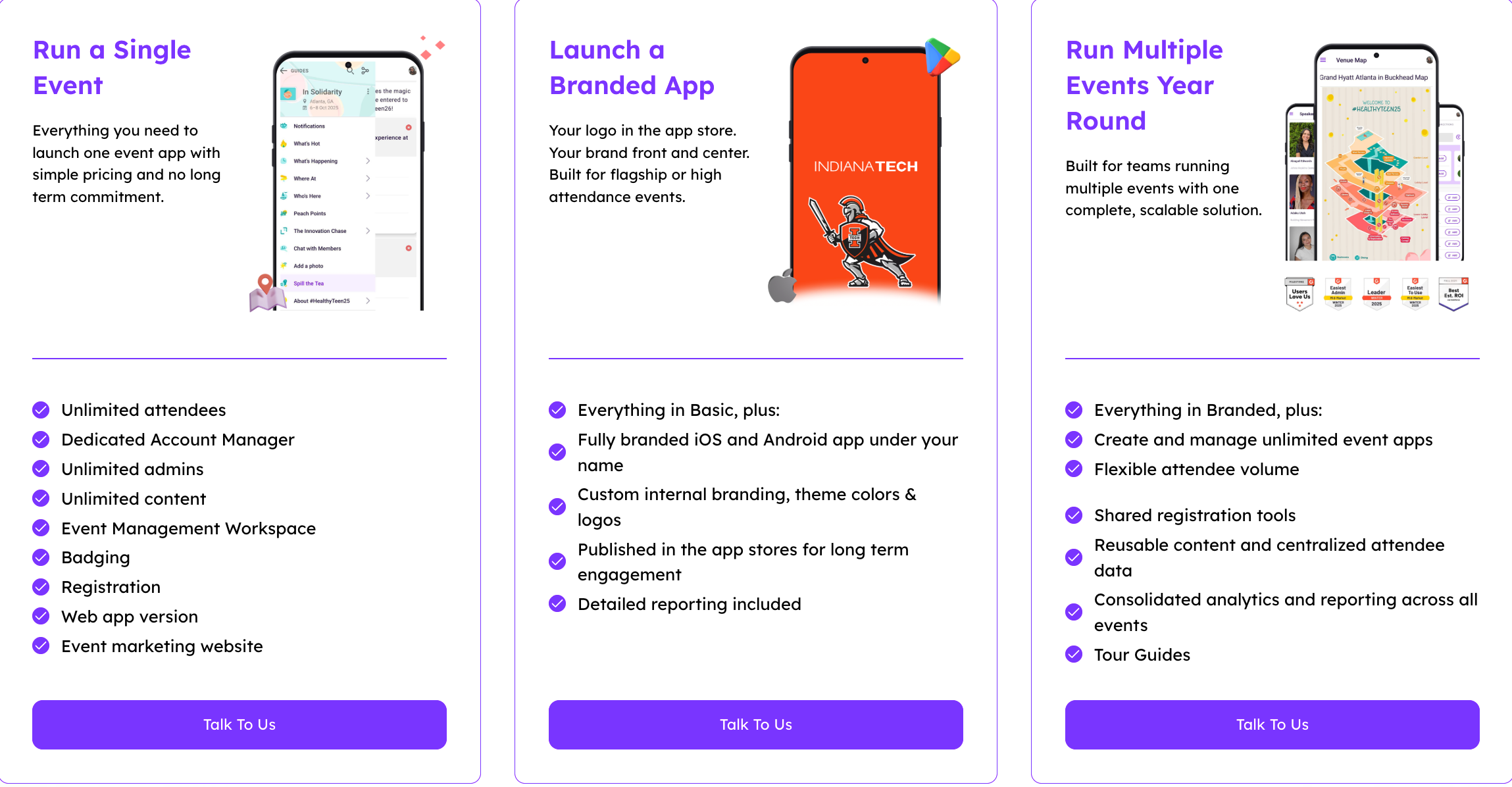
Guidebook does not publish specific plan prices on their main pricing page. You fill out a form to receive a quote. What is confirmed from their own sources: there are no per-attendee fees for the app itself, pricing is fixed-fee, and annual plans include unlimited events on higher tiers.
Their "no per-attendee fees" positioning is a genuine differentiator. If you are coming from a platform that charges per registered attendee regardless of app usage, Guidebook's fixed-fee model is a real improvement. The catch is that the actual numbers are still gated, so you cannot compare costs without a sales conversation. And the fixed fee covers the platform whether or not your attendees actually engage with it.
Highbar Pricing
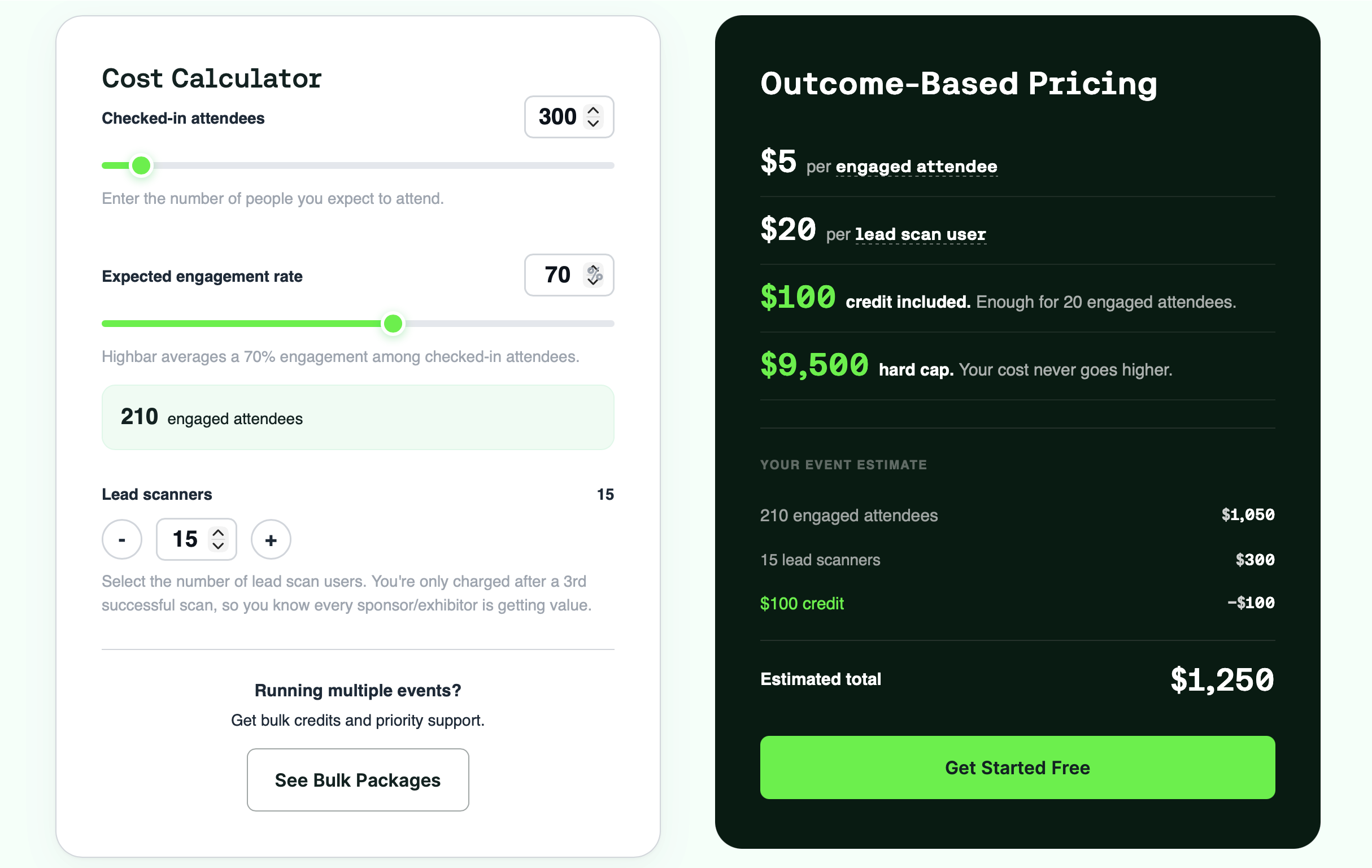
Highbar inverts that model. There is no platform fee and nothing to unlock. You build and launch for free, then pay $5 per engaged attendee, where "engaged" means someone took at least five meaningful actions in the app, like asking the AI concierge a question, bookmarking a session, or using the networking agent. Simply opening the app does not count. Your first 20 engaged attendees are free via a $100 credit, and your total is capped at $9,500 no matter how large the event gets. If your attendees do not engage, you do not pay.
The difference in one line: Guidebook charges you a fixed fee for the platform whether attendees use it or not. Highbar charges you only for the attendees who actually got value, and never more than $9,500.
Takeaways
Guidebook is a well-built platform with a genuine track record. If you run higher education events, association conferences, or recurring corporate gatherings and want a self-serve native app with strong support and no per-attendee fees, it is a reasonable choice. The ease of use is real. The support quality is real. The offline capability is a genuine advantage for venues with poor connectivity.
But here is what it comes down to.
Guidebook was built to replace the printed program. It does that very well. But replacing a printed program means giving attendees a digital version of the same thing: sections to navigate, information to find, a directory to browse. Highbar was built around a different question: what if attendees did not have to navigate at all?
One gives you a well-organized digital guide. The other gives you a conversational AI agent, full white-label branding from day one, and pricing tied to whether your attendees actually engaged.
You do not need a demo to find out if Highbar is right for you, and you do not need a quote to find out what it costs. Build your app for free, launch it, and pay only if your attendees actually engage.
