
Highbar’s Changelog
Building what event planners and attendees need. As fast as we can.
Introducing the AI Start Page
 Learn more
Attendees love the AI Concierge, but it's not always the right default home screen. The new Start Page gives you full control over what attendees see first: welcome messages, branded banners, AI-powered event summaries, topic highlights, featured sponsors, and daily rundowns. Drag, drop, reorder, and preview everything in real time. No training, no back-and-forth. Just build and publish.
Live Preview: What You See Is What They Get
 Learn more
Building an event app has always meant a frustrating loop: publish, check your phone, find issues, fix, republish. Live Preview eliminates that entirely. See exactly what your attendees will see as you build, and interact with it, including testing your AI concierge in real time. No guesswork, no surprises on launch day.
Networking Agent: Get the 'Why' Behind Each Recommendation
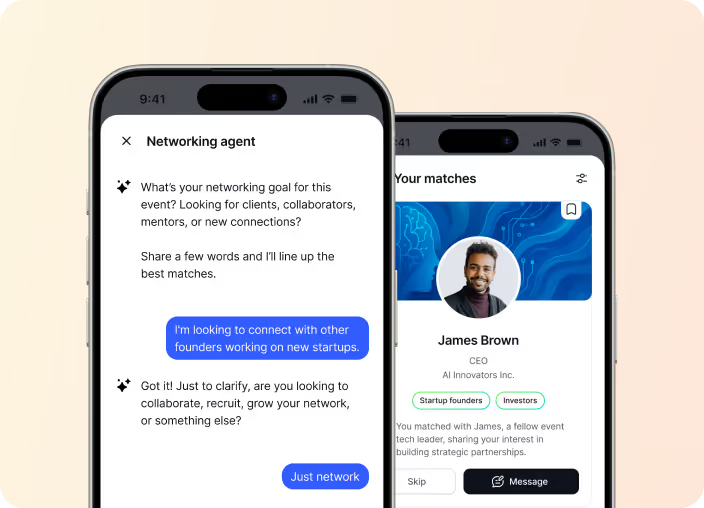
Most networking tools fall flat because they leave you asking why? Knowing you're "72% similar" to another attendee doesn't help much. Highbar powers personalized networking recommendations based on your attendees' specific goals, and tells them why they matched. That makes it easier to break the ice and build meaningful connections at your event.
Personal Schedules: Know What's Next
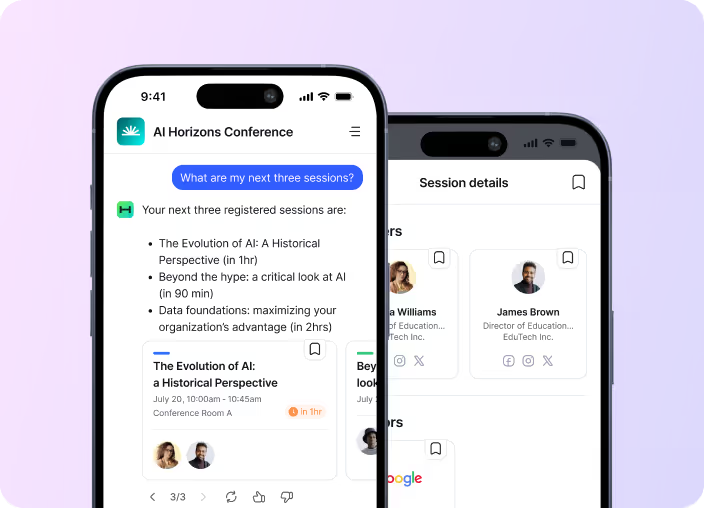
Attendees can instantly see what they’re registered for, with personalized schedules powered by the AI co-pilot. No digging in the app or guesswork required, attendees can just ask "what's next" and get a response with their personal agenda.
Private Messaging: For Conversations That Matter
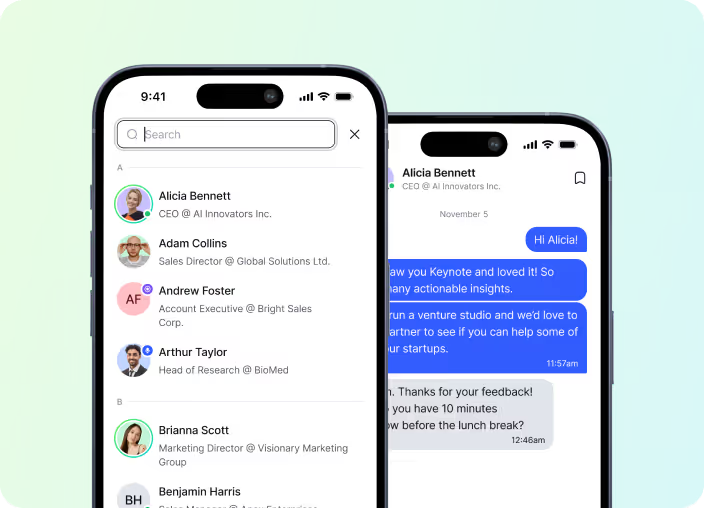
Attendees can connect 1:1 with ease. Our private messaging system is the foundation for smarter networking tools coming soon.
AI Toolkit: Get More from AI in One Tap
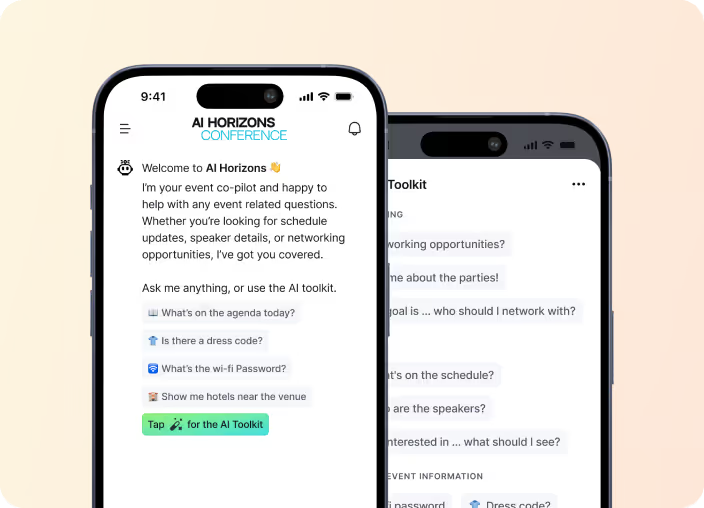
Simple, one-click prompts help attendees get started fast. Customize your toolkit to highlight key topics, sessions, and networking goals. All powered by Highbar’s AI co-pilot.
AI Co-Pilot: Smarter Answers, Faster
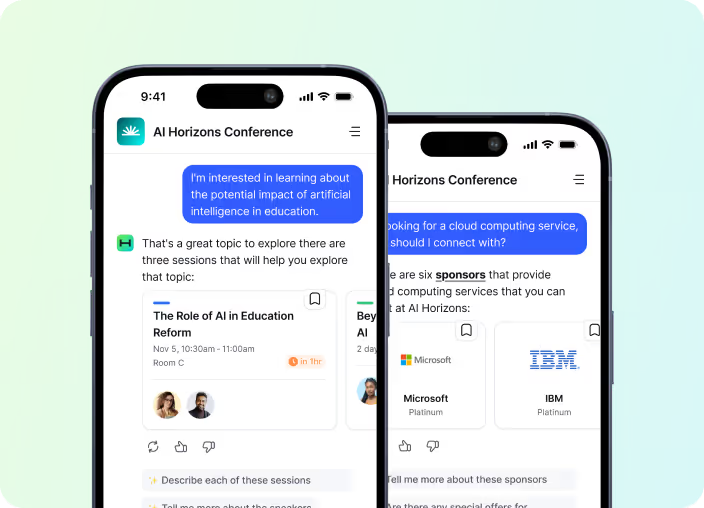
Our AI Co-Pilot gives attendees instant answers, grounded in your event’s real content. It’s built to avoid hallucinations and deeply integrates with your event guide for accurate, fast, and helpful responses every time.
Event Guide: With Brains & Beauty
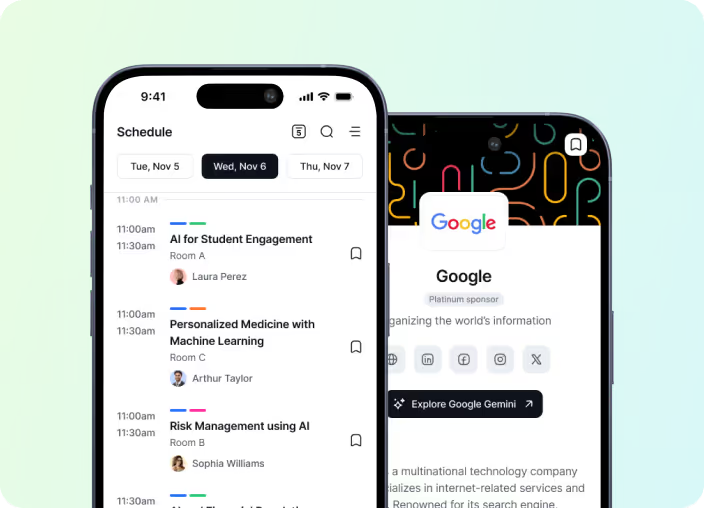
Multi-track schedules. Speaker filters. Sponsor profiles. Our event guide handles real-world complexity and ties seamlessly into the co-pilot to deliver a smarter attendee experience. All beautifully designed and easy to use.
See your own event running on one system.
Build it yourself in under an hour, or have us walk you through it.
