Sponsored Posts Are Live: In-App Ads That Drive Real Activations
Sponsored Posts are live in Highbar. Five post types, 60-second setup, instant publishing. Here's how they work and why they drive real activations for your sponsors and exhibitors.
At Highbar, we ship every week. Not every quarter. Not "it's on the roadmap." Every week.
I recently heard from a customer that when their previous event app provider says they're working on something, it can "take a year." That tends to be the norm in this industry, and it's exactly what we're here to change.
This week's release: Sponsored Posts.
What Are Sponsored Posts?
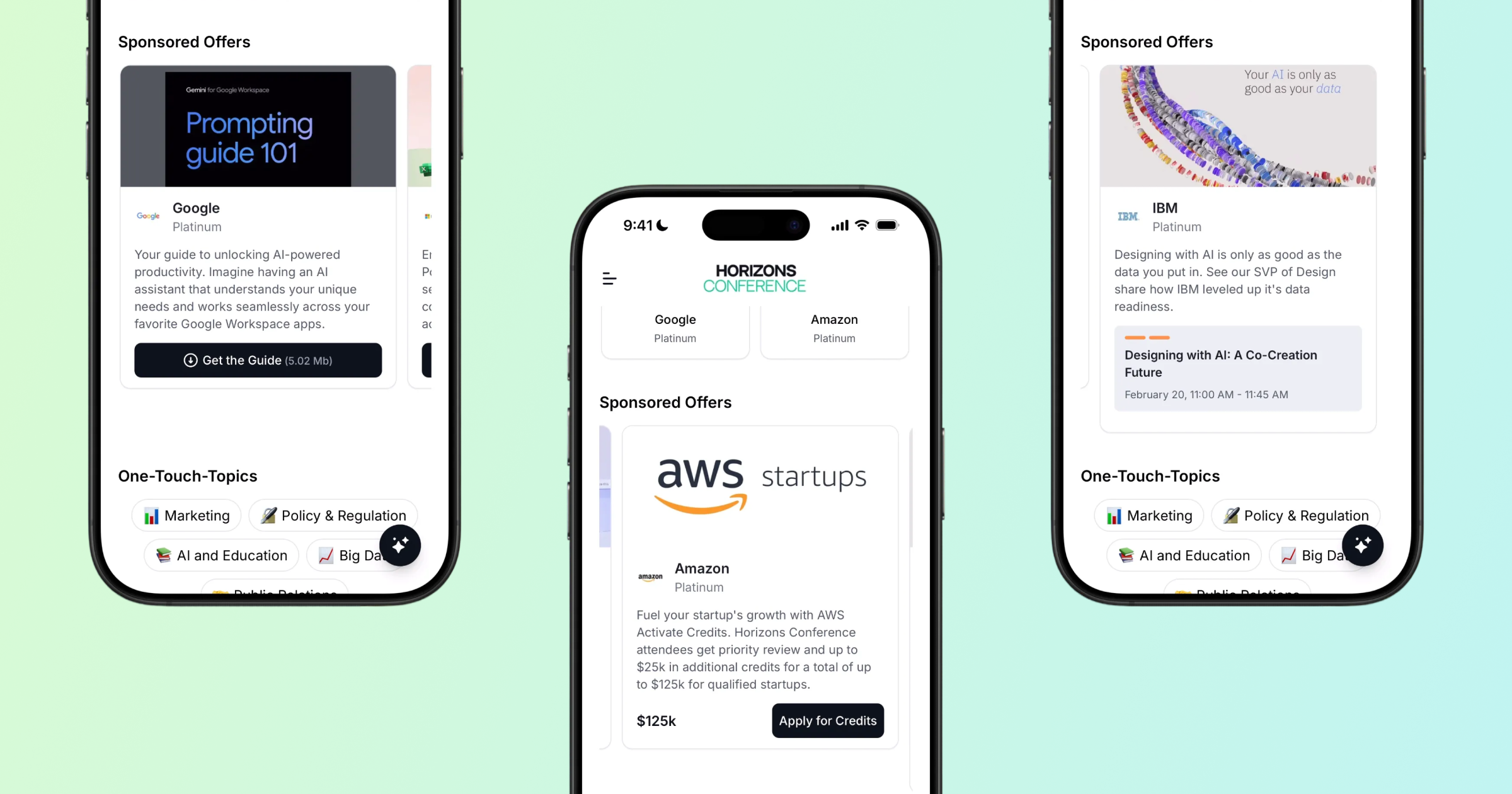
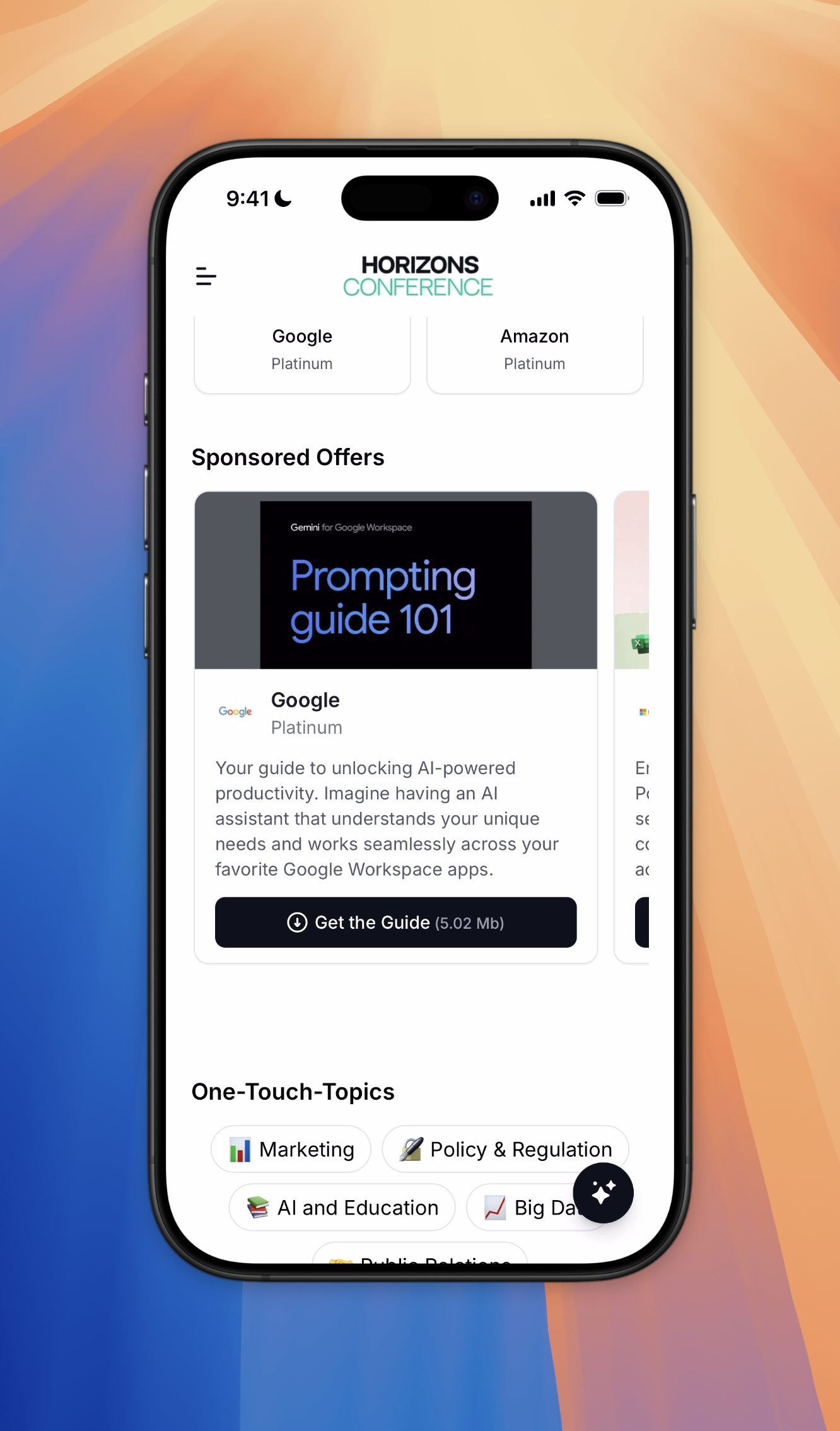
Sponsored posts are dynamic, branded content blocks that live on your event app's Start Page. They're designed to do one thing really well: drive activations.
Unlike static banner placements buried in a menu, sponsored posts sit front and center where attendees are already looking. Every view and every click is tracked, so you know exactly what impact your sponsors are getting. Check out the 2 minute demo 👇
Five Post Types, One Goal
Sponsored posts aren't one-size-fits-all. Each post type is built around a specific action you want attendees to take:
Banner is your most flexible option. Upload a rich image, link it to the sponsor's profile, and add a call-to-action button that points anywhere. Think of it as a traditional digital ad, but native to the app experience.
Product or Offer is built for conversions. Highlight a product, set a price, and embed a discount code with a redemption URL. Perfect for exhibitors running show specials or sponsors promoting a limited-time deal.
File Download lets you put a document directly in attendees' hands. Upload a PDF, whitepaper, or product sheet, promote it with a branded image and description, and publish. One tap to download.
App Download drives installs for sponsor or partner apps. When an attendee taps the CTA, it takes them straight to the App Store or Google Play.
Session Spotlight connects sponsor visibility to programming. Choose a session, add a promotional image and description, and attendees can jump straight from the sponsored post to the session detail. Great for sponsored keynotes, workshops, or breakout sessions.
Document Download Sponsored Post
Built for Self-Service
If you've used legacy event platforms, you know the drill: submit a ticket, wait for your account manager, hope it gets done before the event. That's not how Highbar works.
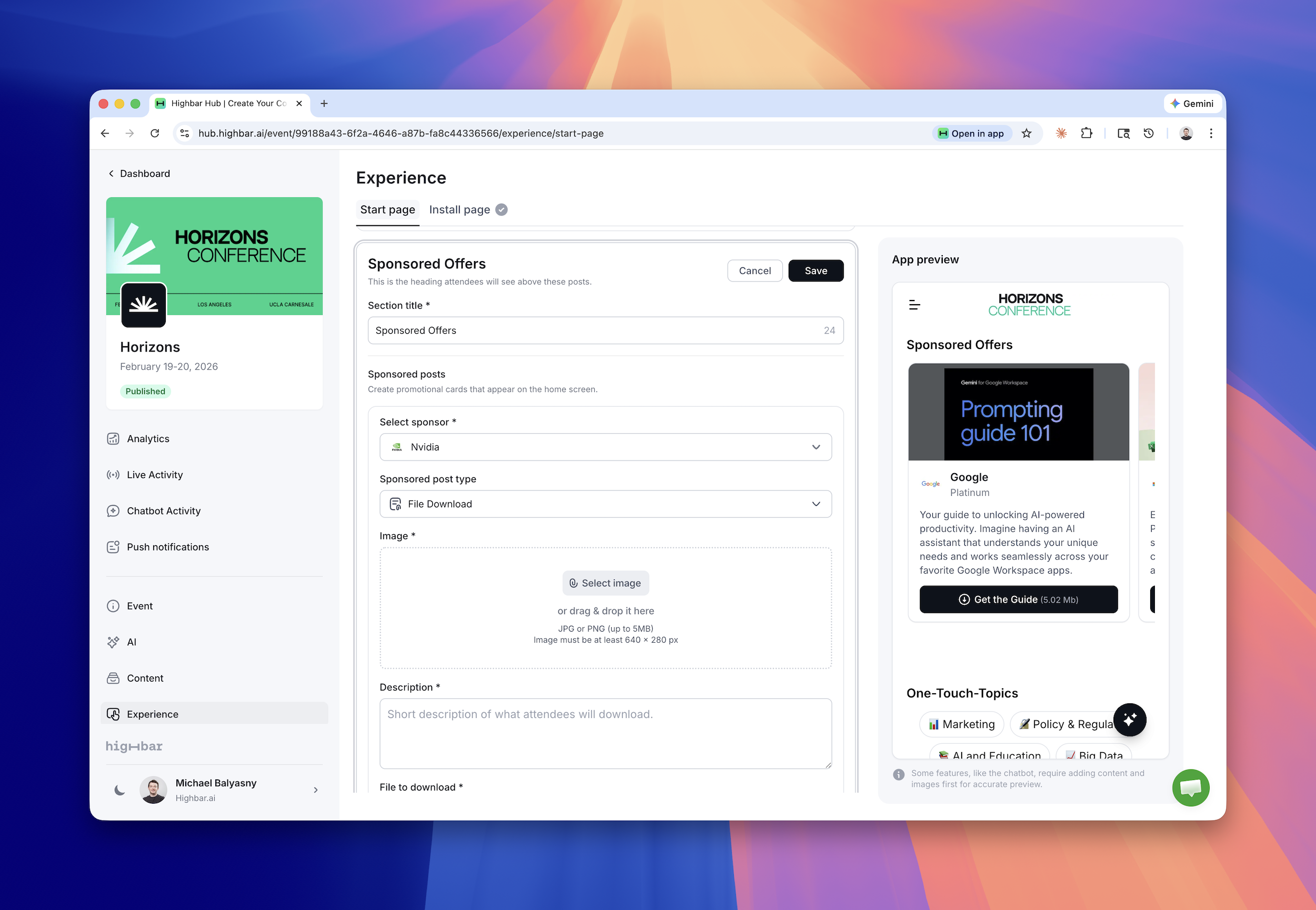
Creating a sponsored post takes about 60 seconds. From the Start Page management area in the backend, you choose the sponsor, select the post type, upload your creative, configure the CTA, and publish. It goes live instantly.
You can also create multiple sponsored post sections, which means you can group posts thematically, feature several offers from a single sponsor, or create distinct zones for different sponsor tiers. You have full control over the order and layout, and every post also appears on the sponsor's profile within the app.
Creating a sponsored post is a snap
Part of Something Bigger
Sponsored posts live on our hyper-dynamic Start Page, which is infinitely customizable. The Start Page already features AI-powered summaries, featured sponsors, and the AI concierge. Sponsored posts add a revenue-driving layer that benefits organizers, sponsors, and attendees alike.
Every element of the Start Page is designed to be managed without a support ticket, without a services team, and without waiting.
See It in Action
We put together a two-minute demo walkthrough that covers both the attendee experience and the backend creation flow. Check it out to see how quick and easy it is to get sponsored posts live in your event app.