I Built an Entire Event App in 3 Minutes with Magic Import
Magic Import is live. Drop in any CSV or XLSX, no template, no column mapping, and get a complete event app with a working AI concierge. Here's how a 30-second feature demo accidentally became a 3-minute app build.
I sat down to record a quick demo of our newest feature, Magic Import. The plan was modest: show how Highbar ingests a content spreadsheet. Thirty seconds of screen recording, maybe a minute.
Less than three minutes later, I had a complete event app. Schedule, speakers, sponsors, FAQs, a working AI concierge, a customizable home screen. The only thing missing was the attendee list.
That wasn't the plan. But it turned out to be a much better demo of what Magic Import actually means.
What Magic Import does
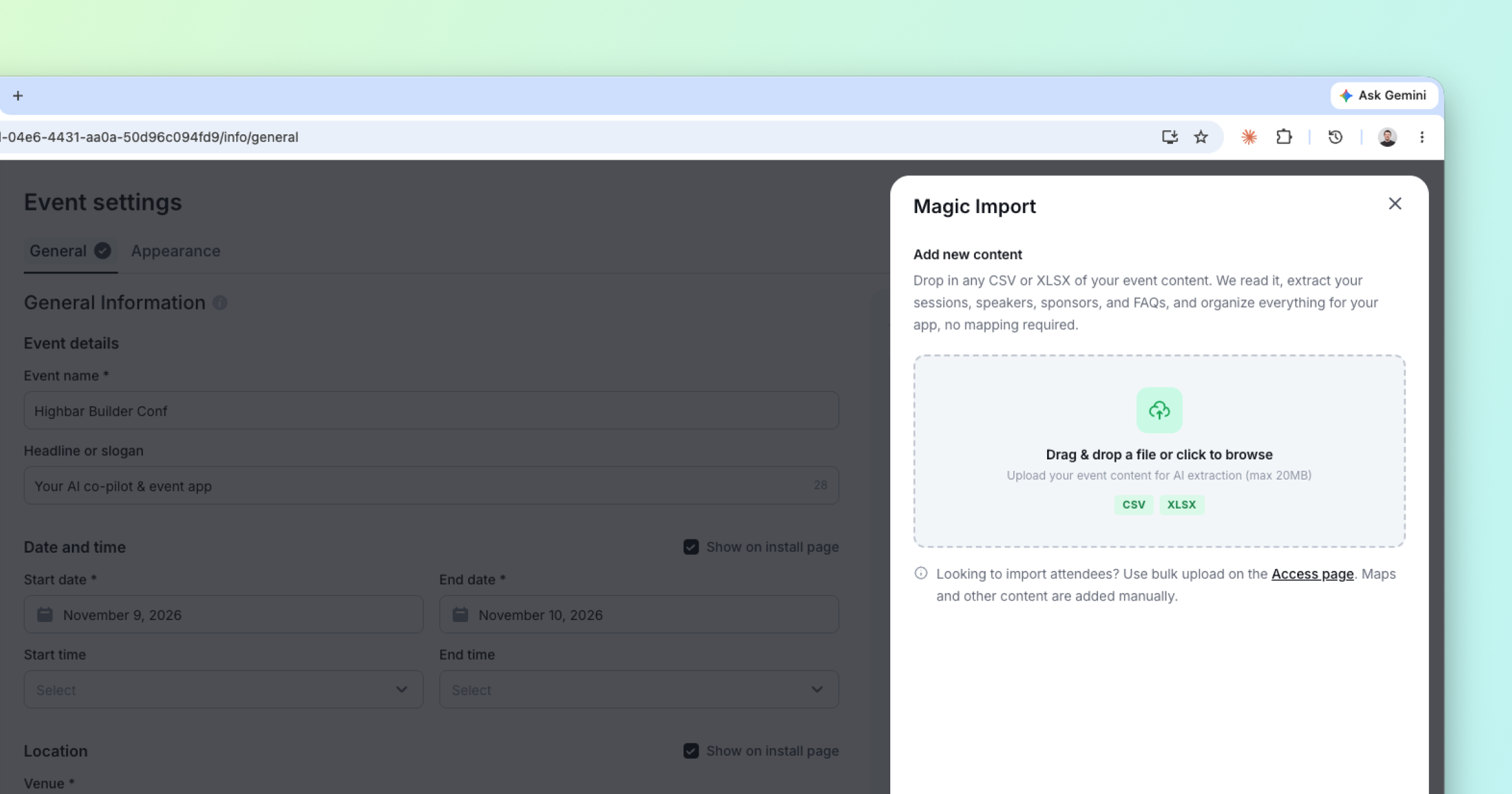
Magic Import takes any CSV or XLSX file and turns it into an event app. That sentence sounds simple, so let me be specific about the word "any."
For the demo, I deliberately picked a messy file. One spreadsheet containing 100 sessions, plus speakers, sponsors, and FAQs, all mixed together. The columns weren't named according to any template. Time zones and date formats weren't carefully . It was, in other words, a file that looks like the files event organizers actually have: exported from a registration system here, copied from a Google Sheet there, edited by three people over six months.
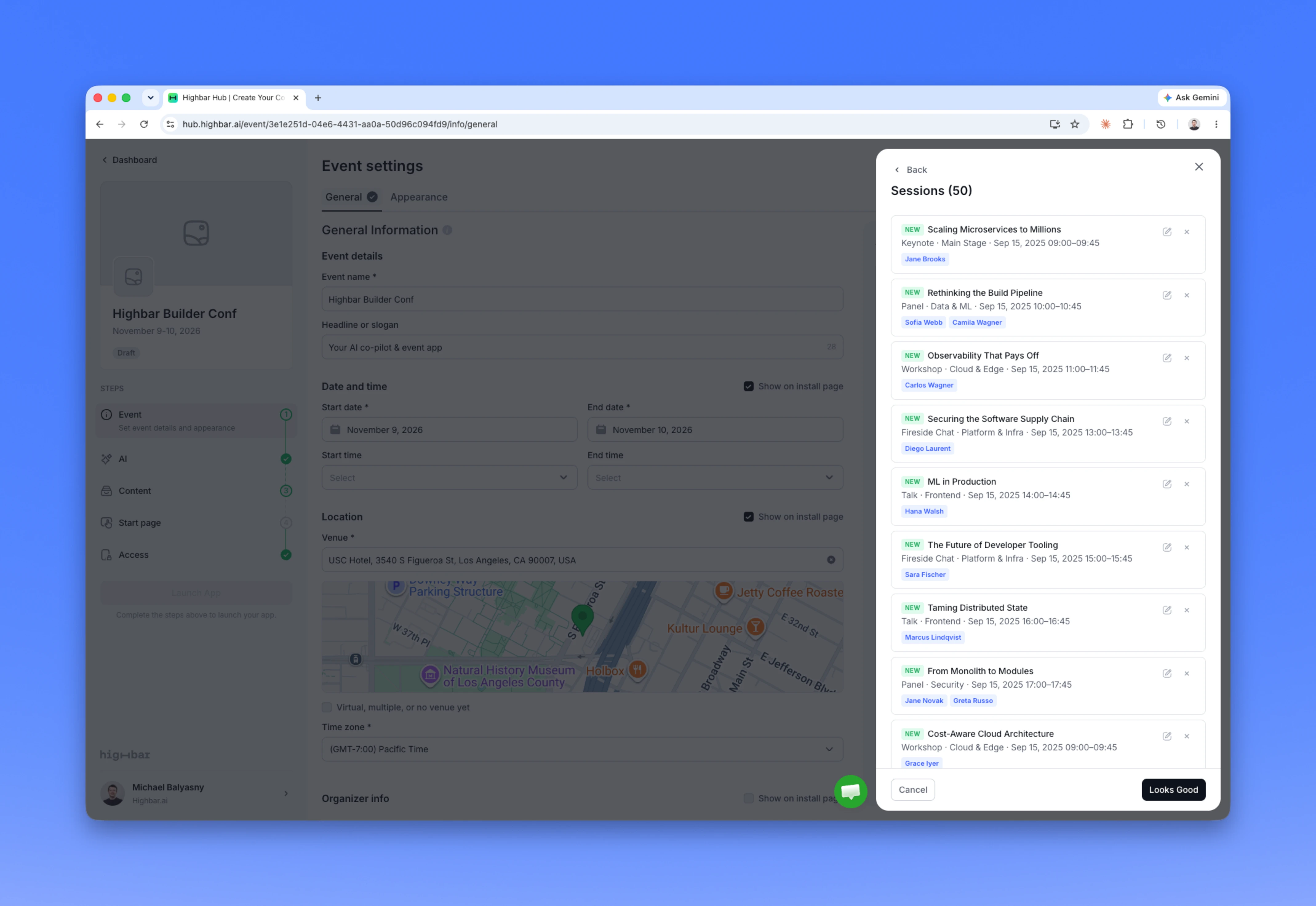
Magic Import made sense of all of it. It figured out which rows were sessions and which were speakers. It parsed every date and time format it encountered. And, most importantly, it understood the relationships in the data: which speakers belong to which sessions, which sponsors go where. When the import finished, every session was already linked to its speakers. No manual matching, no dropdown mapping, no second pass.
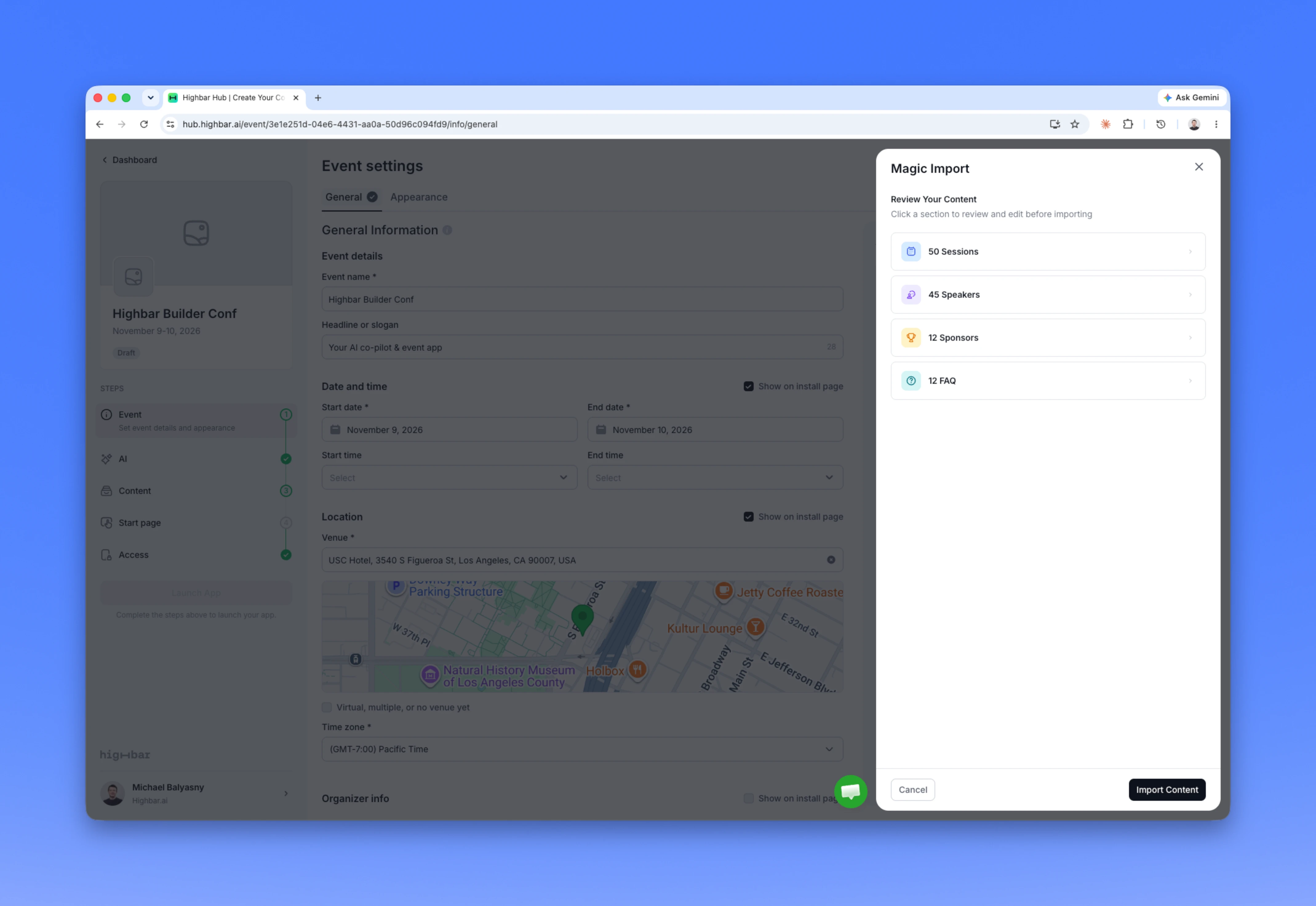
You stay in control the whole time. Before anything lands in your app, you can preview every section, speakers, sponsors, sessions, FAQs, and skip anything you don't want. It's a review step, not a mapping wizard. There's a difference: a mapping wizard asks you to do the work, while a review step asks you to approve work that's already done.
Magic Import shows you a summary of your content before you import.
Why "no templates" is the whole point
Every event platform says importing is easy. What they mean is: importing is easy once you've downloaded our template, renamed your columns to match it, split your one spreadsheet into four separate files, reformatted your dates, and fixed the errors from the first three upload attempts.
The template is a confession. It says: our software can't understand your data, so please convert your data into something our software understands. That made sense in 2015. It doesn't anymore.
With Magic Import, the model adapts to your file instead of your file adapting to the model. Convoluted column names, merged content types, mixed date formats, whatever you've got. Just dump it in.
Edit, skip or import. You have control of every row of your import before it hits your event app.
The part I didn't plan to demo
Here's where the demo went off script in the best way.
While the import was processing, I added an app icon, a logo, and a cover image. By the time I finished, so was the import. So I kept going.
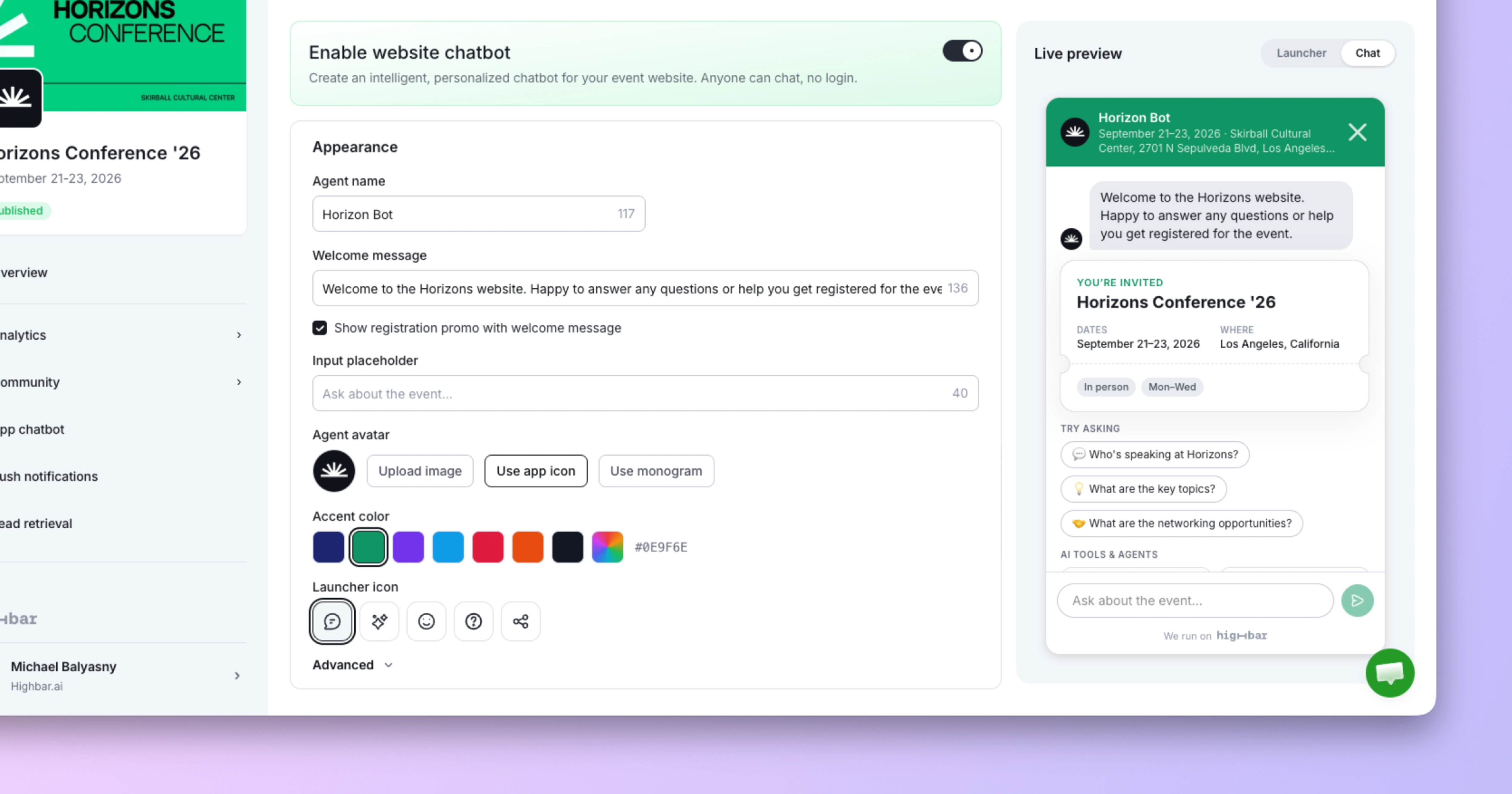
I opened the AI concierge and asked it a question about the event. It answered immediately, and correctly. It knew the speakers, the schedule, the venue, the start time. It could answer questions about any individual session. Nobody trained it. Nobody wrote a knowledge base. The moment the content existed in the app, the AI knew it.
That's not a separate feature that happened to work. It's how Highbar is built: the content layer and the AI layer are the same layer. When you import your event, you're not just populating a schedule grid. You're giving every AI feature in the app, the concierge, the AI summaries on the home screen, the personalized recommendations, everything it needs to do its job.
Then I previewed the app live in the browser: the schedule with all its speaker relationships intact, sortable content, speaker profiles, a home screen with AI summaries and an activity stream snapshot. At that point the app was ready to launch. Upload the attendee list and go live.
Total elapsed time: about three minutes. One take, no editing, and as anyone who watches the video will notice, no audio engineering either.
Three minutes is not a gimmick
I want to address the obvious objection: real events are complex, and complexity can't possibly be handled in three minutes.
Here's the thing. The three minutes weren't fast because the event was simple. The file had 100 sessions and a full roster of speakers, sponsors, and FAQs. The three minutes were fast because the tedious middle of event app setup, the reformatting, the copy-pasting, the column mapping, the data entry, is exactly the kind of work AI should erase. None of that work was ever the valuable part. It was friction that event tech vendors turned into onboarding timelines, implementation fees, and consultant hours.
Highbar handles serious event complexity, and we're covering more ground every day. We just don't make you feel it. The time you don't spend wrestling with imports is time you can spend on the work that actually matters: designing the attendee experience and proving the outcomes to your sponsors and stakeholders.
Try it on your worst file
Magic Import is live now, and you can use it yourself at Highbar.ai, free. Create an event, drop in your file, and see what happens.
And here's an open invitation: if you have a truly convoluted file, the kind exported from a legacy system with merged cells and mystery columns, and Magic Import struggles with it, send it our way. Every difficult file makes the model smarter. The more chaotic your content, the more we want to see it.
The era of templates is over. Bring your spreadsheet exactly as it is.