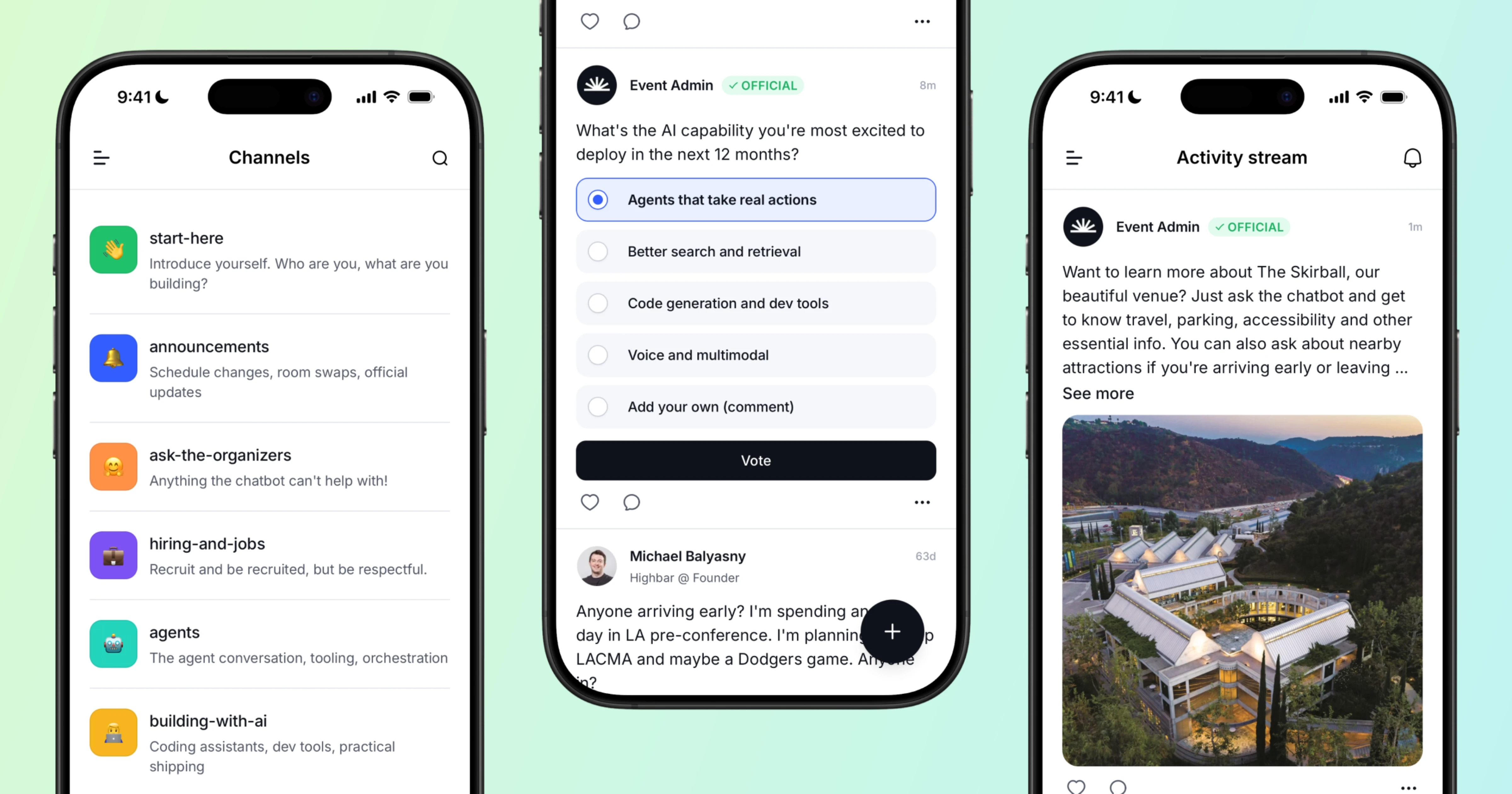
Introducing the Embeddable Chatbot: your event website, minus the FAQ page
The embeddable chatbot is live in BETA. Paste one snippet and get a chatbot that already knows your schedule, speakers, and sponsors, plus private content only it can see. Here's why the hard part was never the bot, it was keeping a fourth surface in sync.
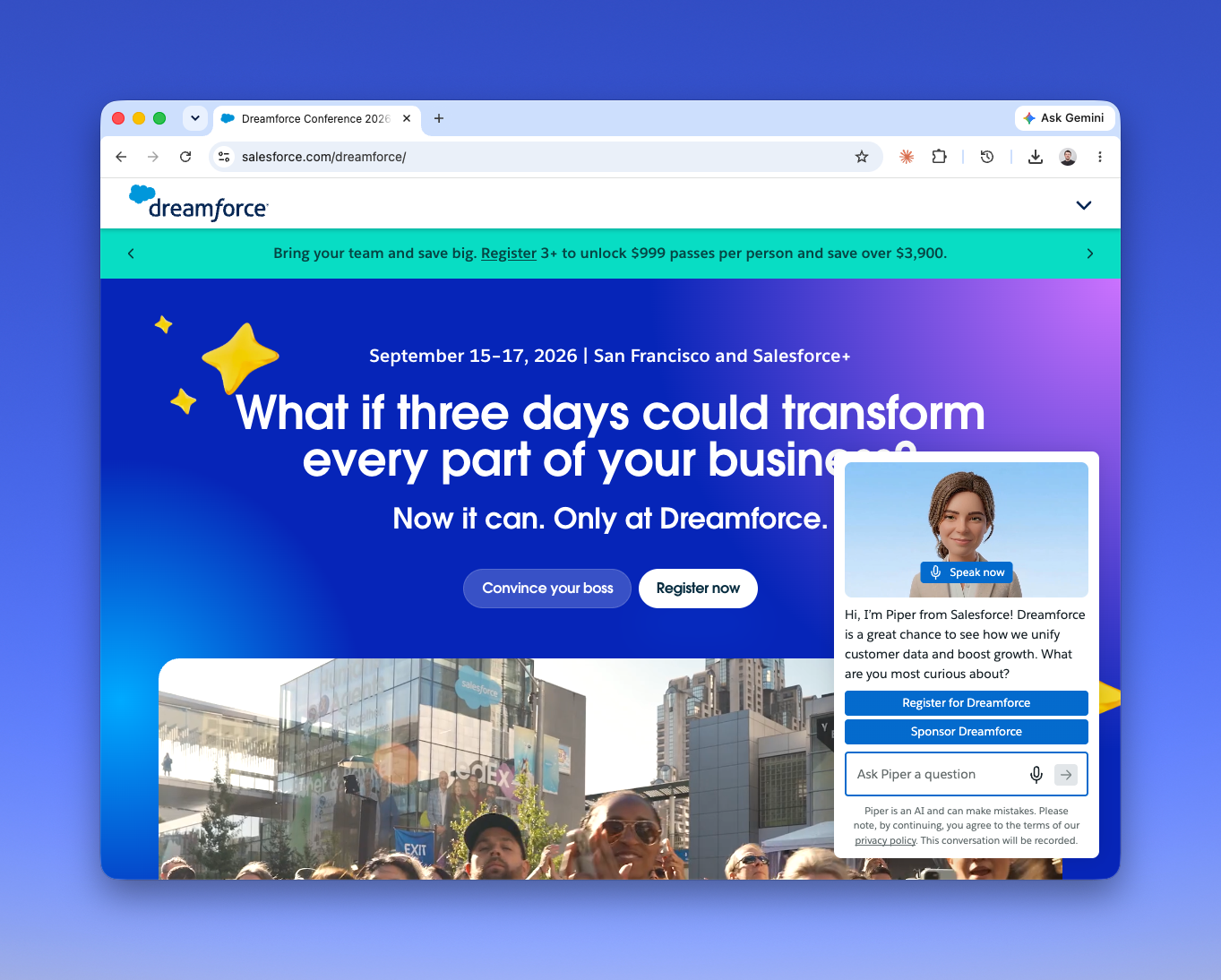
Recently Julius Solaris of BoldPush posted about the new Dreamforce site. It's stripped down, and the chatbot is more prominent than I've seen on any other event website. Not tucked in a corner. Close to the center of the page.
That's a real signal. Salesforce has the budget to build whatever they want, and what they chose to build was less website and more conversation.
The logic is almost too obvious to argue with. Events are complex. Attendees have questions, and those questions are specific: is my session recorded, what's the dress code, which hotel is closest to the keynote hall, is my manager going to approve this. Nobody reads the FAQ page. Nobody navigates a nine-item nav bar to find the answer. We're all distracted, on our phones, halfway through something else.
So a chatbot on the event website makes sense. Everyone will have one within two years.
The question worth asking is why so many of them are bad.
Two ways event chatbots fail
The scripted bot. This is the older approach: a decision tree with a chat interface painted on it. It handles the questions someone anticipated and falls over on everything else. Ask it something slightly off-script and you get the "I didn't catch that, try one of these options" loop, which is worse than no chatbot at all because it burned the attendee's goodwill on the way to failing.
The LLM pointed at a content dump. This is the newer approach and it's more interesting, because the language model is genuinely good. It'll answer almost anything fluently. The problem is what it's reading. Somebody exported the schedule to a PDF in March, dropped it in a vector store, and moved on. Then the venue changed a room, two speakers dropped, the Thursday workshop moved to Friday, and the website got updated but the chatbot's copy of reality did not.
Now you have a bot that answers confidently and wrongly. It tells an attendee to go to the wrong room, in a friendly tone, with total conviction. The scripted bot's failure mode is annoying. This one is expensive.
Both of these look like chatbot problems. Neither one is. They're data problems wearing a chatbot costume.
The surface count problem
Here's the thing organizers already know... every new surface you add is another thing to maintain.
You have a registration flow. You have an event website. You have a mobile app. Each one needs the schedule, the speaker bios, the sponsor list, the venue details, the policies. In most stacks, those are three different systems from two or three different vendors, and keeping them in sync is somebody's actual job. Usually somebody who has four other jobs.
Adding a chatbot means adding a fourth copy of the truth. And unlike the website, where a stale room number is at least visible to whoever looks at the page, the chatbot's staleness is invisible until an attendee is standing in the wrong hallway.
This is why "just add a chatbot" is harder than it sounds, and why the good ones are rare. The interface is the easy part now. Any competent team can ship a chat widget in a week. What's hard is making sure the thing behind the widget knows what's actually true, today, without anyone having to remember to tell it.
What we built
We released the Highbar embeddable chatbot in BETA this week. The short version: it reads the same content as everything else.
Our registration, event websites, and event app all run on one shared data model. The chatbot is a fourth surface on that same model, not a fourth copy of it. When you move a session, you move it once. The website updates, the app updates, and the chatbot knows. There's no sync step because there's nothing to sync.
That's the whole architectural argument, and it sounds boring until you've been the person reconciling four systems at 11pm the night before doors open.
Practically, here's what setup looks like:
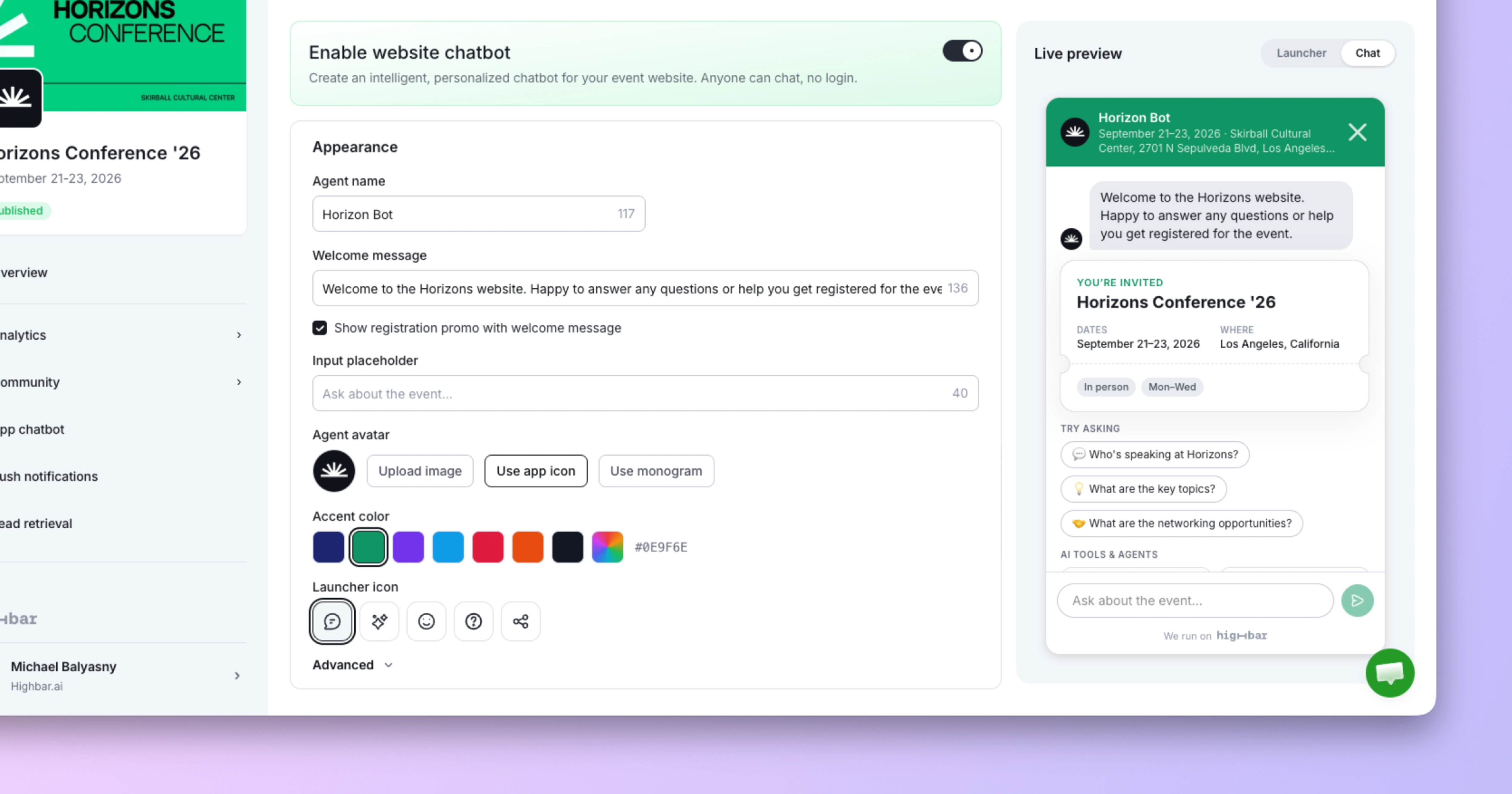
Turn it on and install it. Flip a switch, copy the snippet, paste it into your site. It works on whatever you're already running, so you don't need to move your website to us to use it.
It already knows your event. Schedule, speakers, sponsors, FAQs, venue, policies. Whatever's in the CMS is what it answers from.
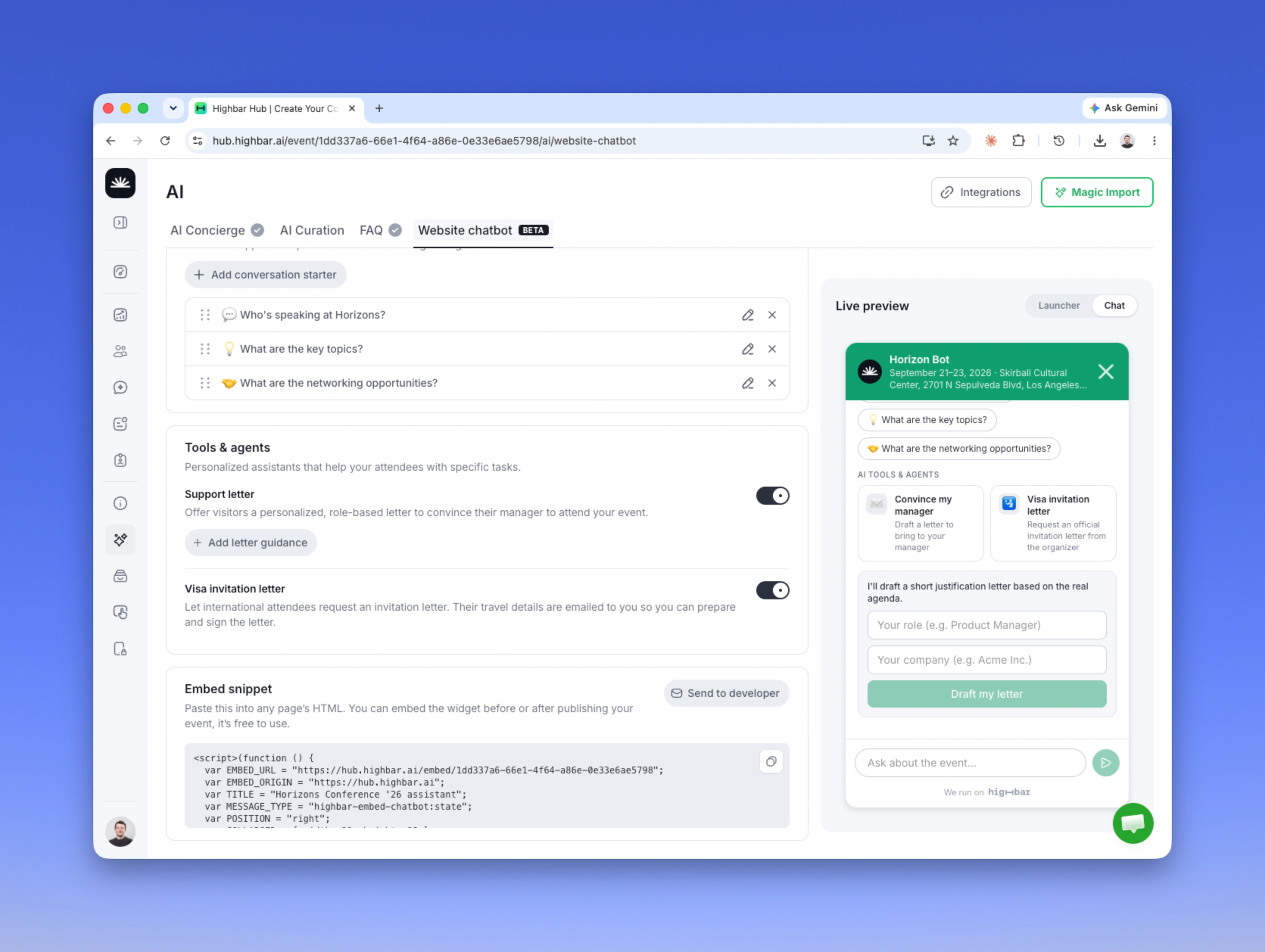
Add private content. Some things belong in the chatbot but not on a page: internal policy detail, sponsor-specific instructions, the answers to questions you get by email forty times a week. You can give the chatbot content that lives nowhere else.
Turn on agents. More on this below.
Turn on registration promos. The chatbot sits on the highest-intent surface you own. Somebody asking detailed questions about the agenda is somebody deciding whether to come. The bot can move that conversation toward registration instead of just answering and letting them go.
Agents are where this gets interesting
Once the chatbot is reading live event data, it can do more than answer questions. It can do work.
The first agent we shipped is "Convince my Boss." An attendee asks for help justifying the trip, and the agent drafts a pitch to their manager: what's on the agenda that's relevant to them specifically, which sessions map to what their team is working on, what the cost looks like against the outcome.
Every organizer has some version of this as a static PDF on their website. Almost nobody uses it, because it's generic. The agent version isn't, because it's reading the actual agenda and the actual conversation the attendee just had.
That's the pattern I think holds for most of what comes next. The chatbot isn't the product. It's a surface where agents can reach live event data and do something useful with it. Registration justification is one. There are a lot more.
What's still rough
It's a BETA and it behaves like one. We're working on tone control, on letting you set how deep answers should go, and on a few customization gaps we already know about. If there's something you need that we don't do, tell me. That's most of what I'm hoping to get out of this release.
The BETA is free, including if you're not a Highbar customer. The CMS is free to use too, so you can put your event content in, embed the chatbot, and keep the rest of your stack exactly where it is.